
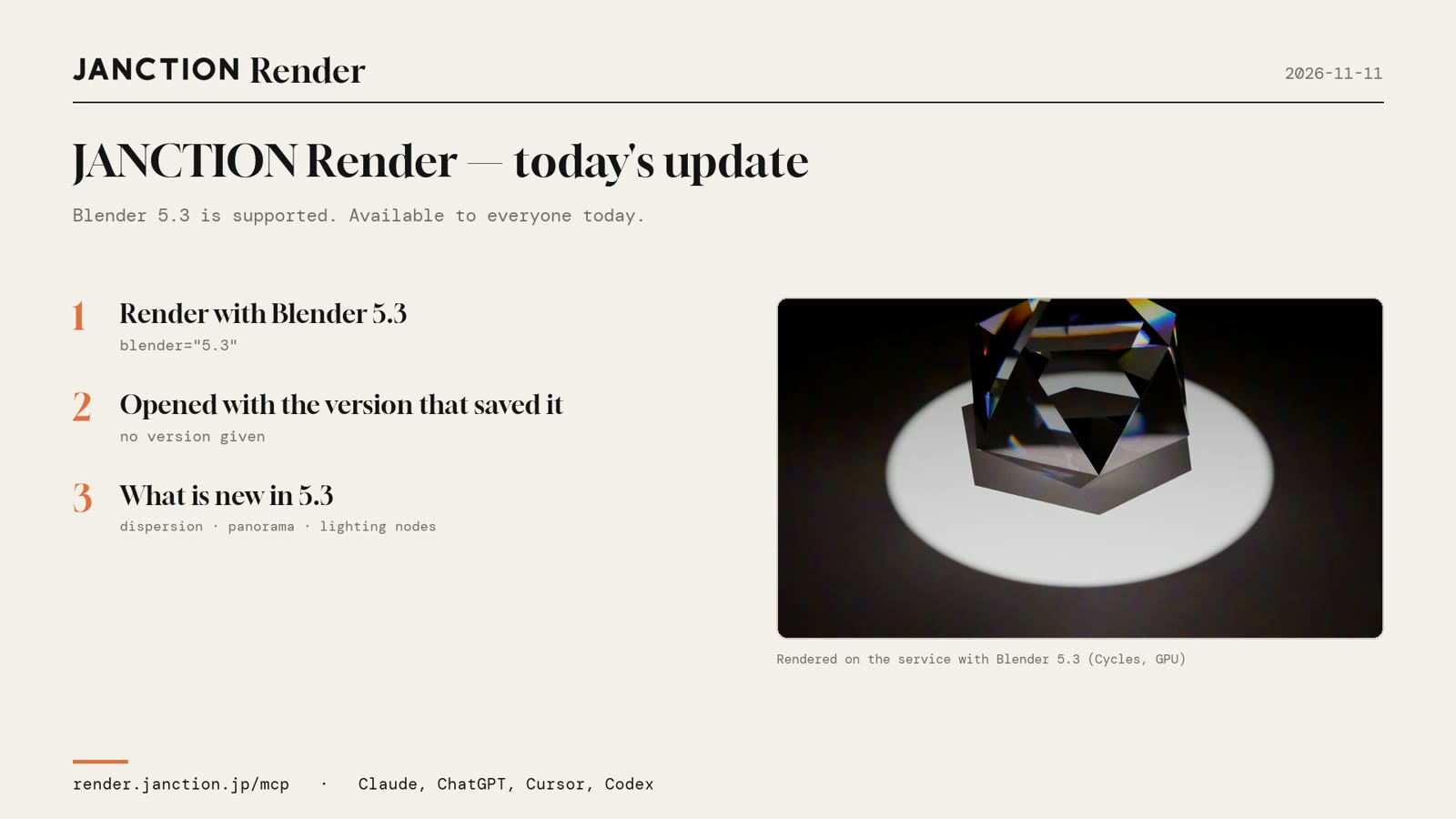
JasmyLab has added Blender 5.3 support to JANCTION Render, its Blender cloud GPU rendering service for AI agents. Both Cycles and EEVEE render Blender 5.3 on cloud GPUs. A .blend saved in 5.3 opens in 5.3 without a version being given, and what is new in 5.3, such as EEVEE panoramic and fisheye cameras and Material Lighting Nodes, renders as it is. It is available to everyone from today.
- Blender 5.3 (5.3.0) renders on cloud GPUs with both Cycles and EEVEE. No local GPU and no Blender install are needed.
- A .blend saved in 5.3 opens in 5.3 without a version being given. It is never rendered by a Blender older than the one that saved it.
- Features added in 5.3, such as EEVEE panoramic and fisheye cameras and Material Lighting Nodes, were rendered and checked on the production GPUs.
The images and numbers below were rendered on the production service (render.janction.jp, Blender 5.3.0) on November 11, 2026.

What Blender 5.3 support gives you
1. Render with Blender 5.3
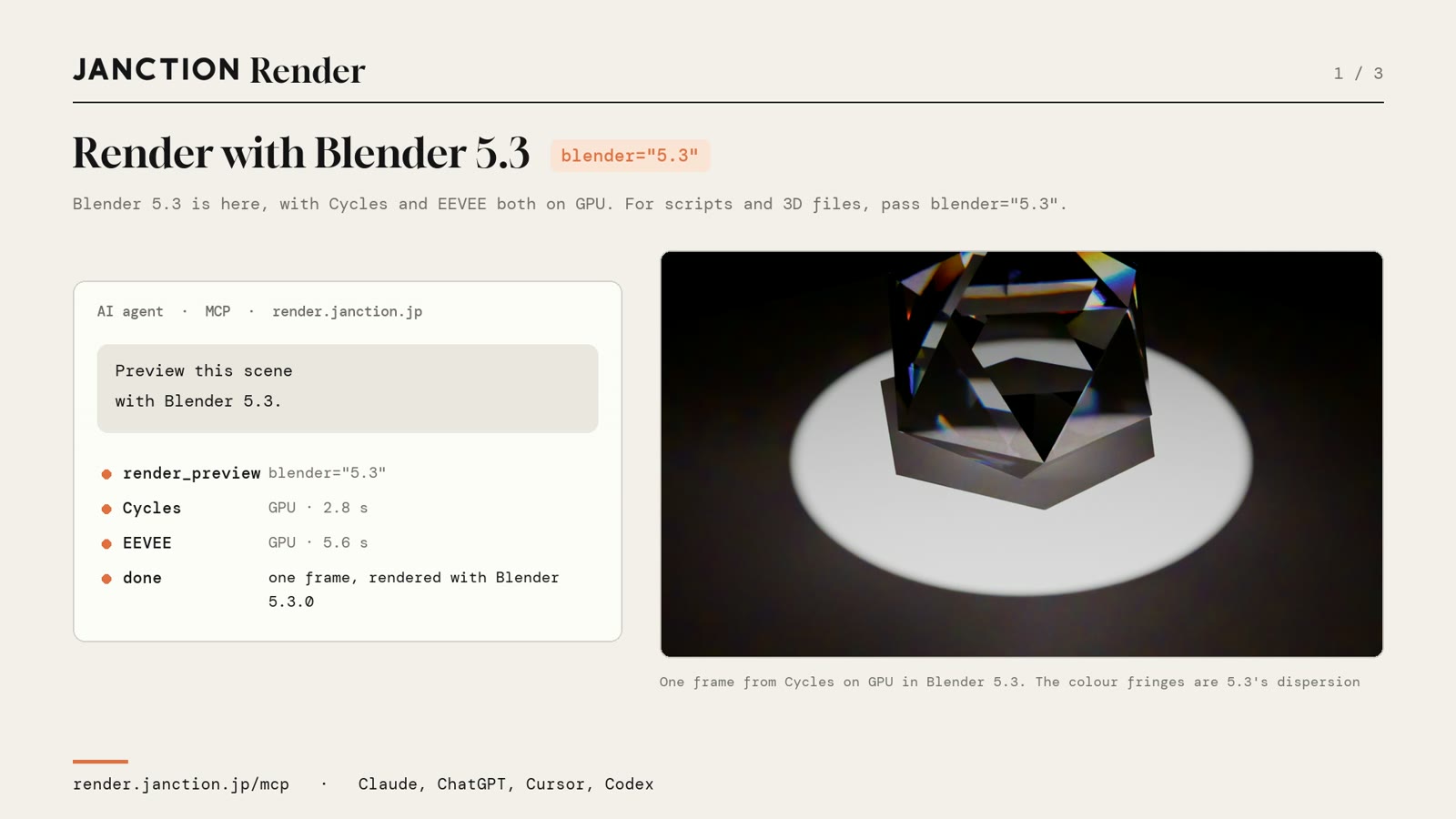
Blender 5.3 has been added to the versions the service renders with. Both Cycles and EEVEE render on GPU. You only have to ask the AI to "preview this scene with Blender 5.3". For bpy scripts and 3D files such as glTF, FBX, USD and OBJ, the version is chosen with blender="5.3". When you send a file from the browser, 5.3 is in the version list as well.
The preview of the example scene came back in 2.8 seconds with Cycles and 5.6 seconds with EEVEE. Both were rendered on GPU.
2. A .blend saved in 5.3 opens in 5.3
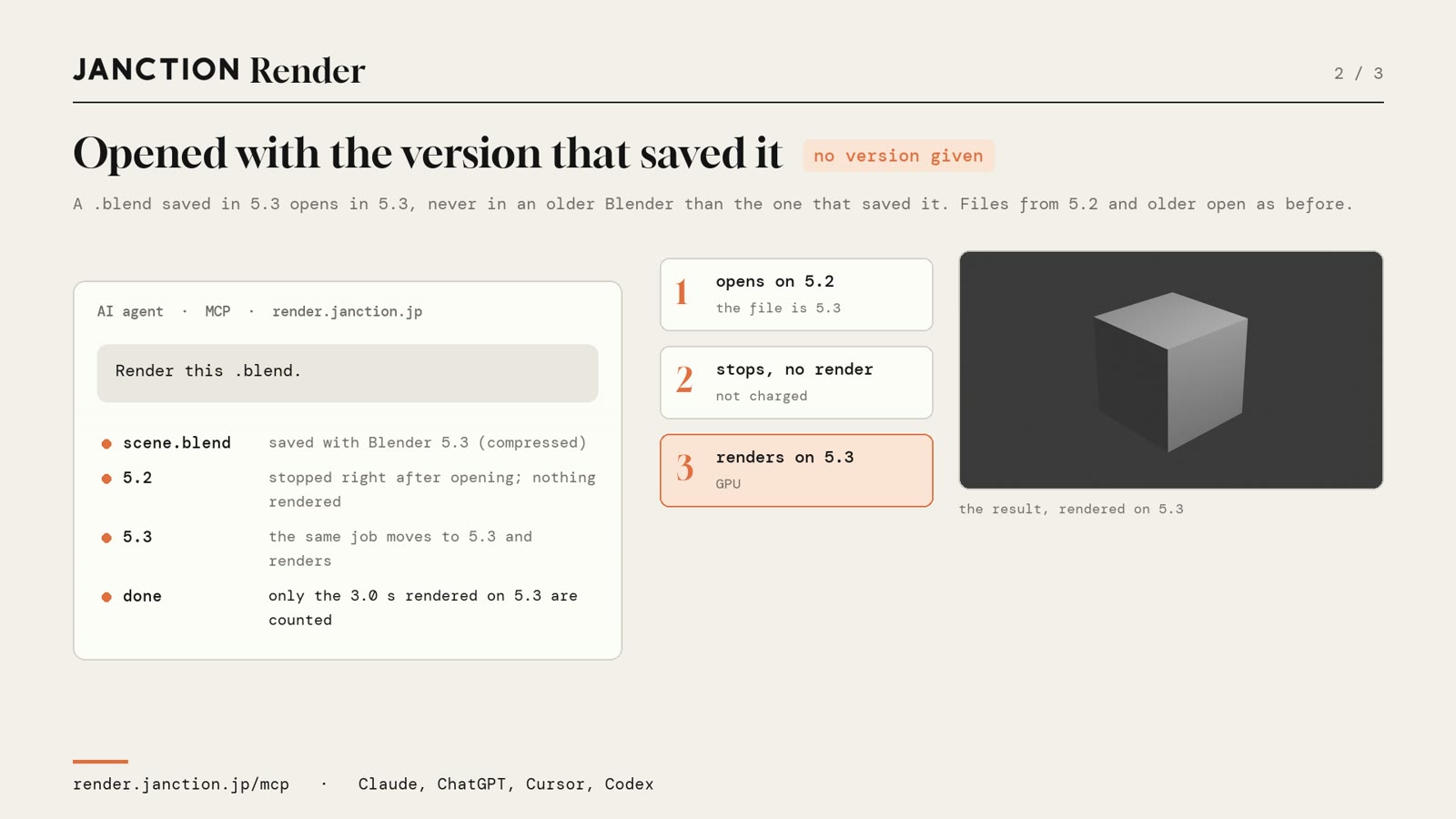
When a Blender file is opened by a Blender older than the one that saved it, settings introduced in the newer version can be dropped and the look can change. JANCTION Render renders a .blend saved in 5.3 with 5.3, even when no version is given. It does not quietly render it with an older version.
In the example, a .blend saved in 5.3 was sent with no version given. It stopped on 5.2 without rendering, and the same job moved to 5.3 and rendered there. Only the 3.0 seconds rendered on 5.3 were counted. Files saved with Blender 5.2 or earlier are handled as before.
3. What is new in 5.3 works as is
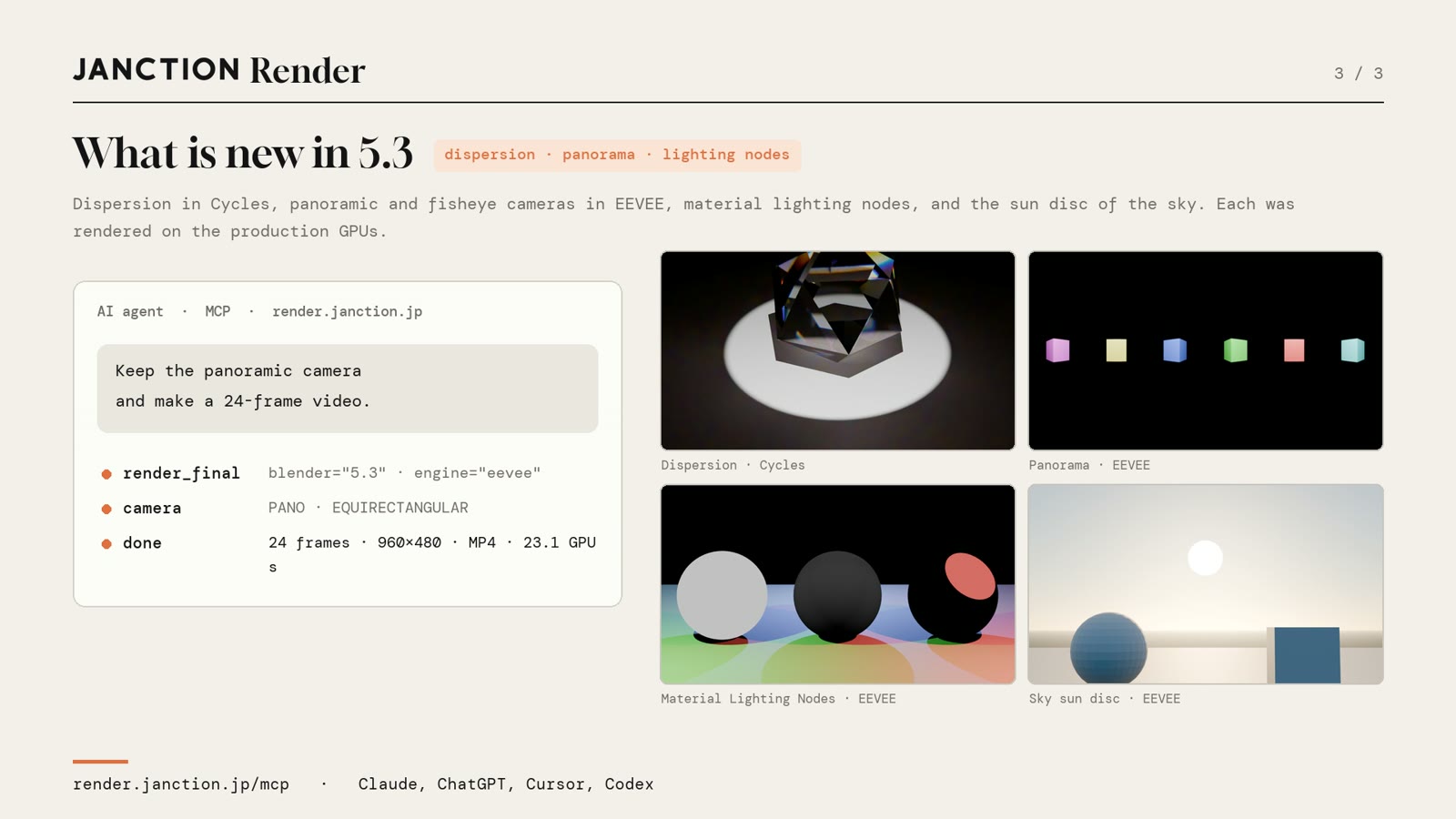
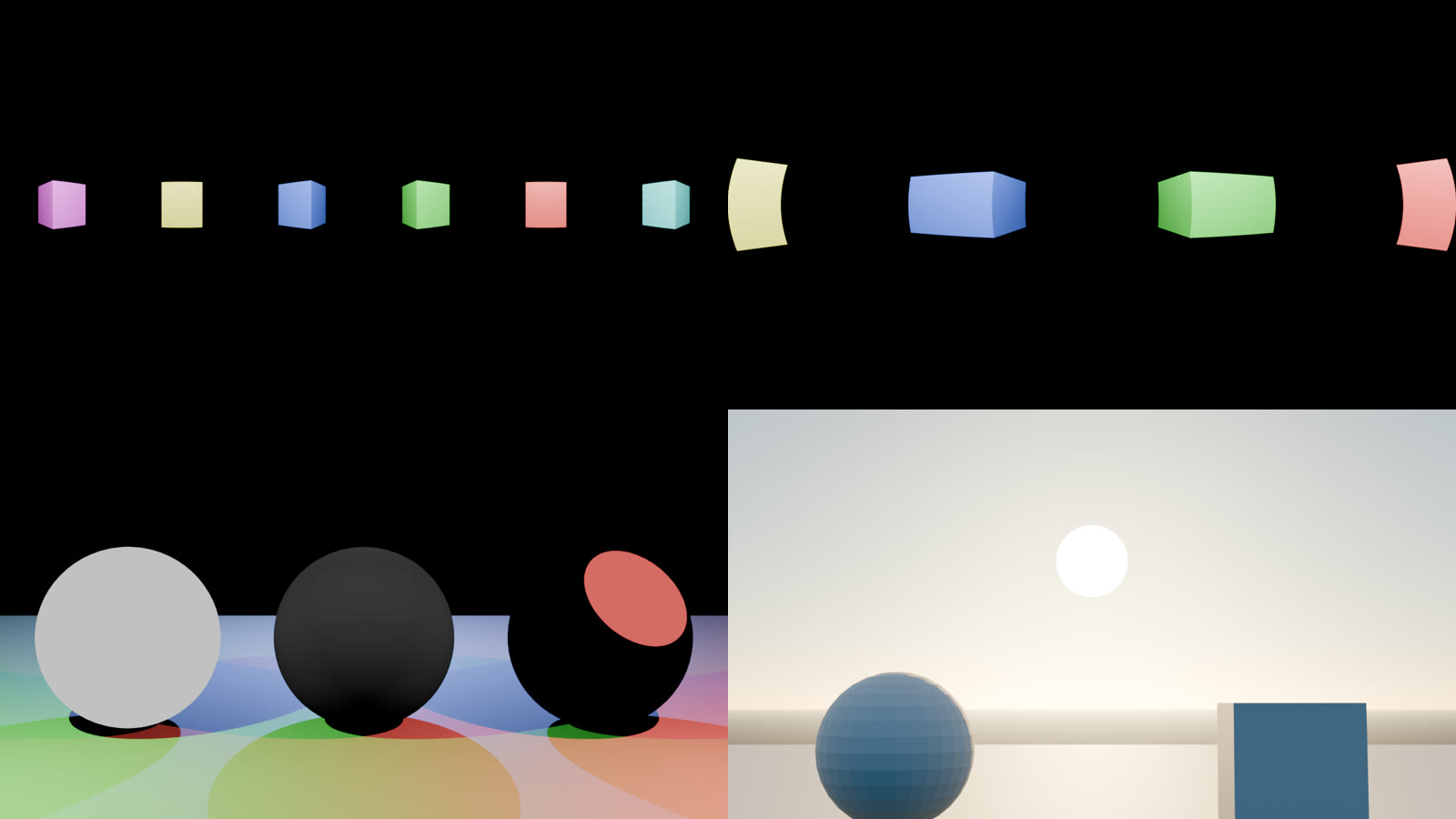
In Blender 5.3, EEVEE gained panoramic and fisheye cameras, and Material Lighting Nodes, which let a material work with how light hits it, were added. Both were rendered and checked on the production GPUs. Dispersion in Cycles (light splitting into colors in glass) and the sun disc of the Sky texture were also rendered and checked on 5.3.
In the example, a scene with a panoramic (equirectangular) camera was rendered as a 24-frame video with EEVEE, keeping the camera as it was. The 960x480 MP4 took 23.1 GPU-seconds.
How to use it
From an AI agent, add the one MCP endpoint and ask:
Preview this scene with Blender 5.3.
A preview comes back in seconds. Check the image, then go on to the final render (a still, an image sequence or a video). From the browser, drop a file at render.janction.jp/start and choose 5.3 as the version. A .blend saved in 5.3 renders with 5.3 even if you do not choose.
Measured results
| Item | Result |
|---|---|
| Blender used | Blender 5.3.0 (Cycles and EEVEE, both on GPU) |
| Preview | Cycles 2.8 s, EEVEE 5.6 s |
| .blend saved in 5.3 (no version given) | Stopped on 5.2 without rendering, then rendered on 5.3 in the same job. Only the 3.0 s on 5.3 were counted |
| Video with a panoramic camera | EEVEE, 24 frames, 960x480, MP4, 23.1 GPU-seconds |
| Glass clip | Cycles, 72 frames, 1920x1080, 128 samples, 3.7 GPU-seconds per frame on average |
FAQ
- Does JANCTION Render support Blender 5.3?
- Yes. Since November 11, 2026, both Cycles and EEVEE render with Blender 5.3.0 on cloud GPUs. It is available to everyone.
- Can I render with Blender 5.3 without a local GPU or a Blender 5.3 install?
- Yes. Add the MCP endpoint (https://render.janction.jp/mcp) to an AI agent such as Claude, ChatGPT, Cursor or Codex and ask it to "render this with Blender 5.3", or send a file from the browser (https://render.janction.jp/start). Rendering runs on GPUs in a Tokyo data center.
- Which version renders a .blend saved in Blender 5.3?
- Blender 5.3, even when no version is given. It is never rendered by a Blender older than the one that saved it. Files saved with Blender 5.2 or earlier are handled as before.
- How do I render a bpy script or a 3D file such as glTF or FBX with Blender 5.3?
- Ask the AI to "render this with Blender 5.3" (the parameter is blender="5.3"). When no version is given, the same version as before is used.
- Can I use the EEVEE panoramic camera and Material Lighting Nodes added in Blender 5.3?
- Yes. EEVEE panoramic and fisheye cameras and Material Lighting Nodes were rendered and checked on the production GPUs. Material Lighting Nodes are an EEVEE feature, so choose EEVEE as the engine.
About JANCTION Render
JANCTION Render is a Blender cloud GPU rendering service for AI agents, provided by JasmyLab. By adding one MCP endpoint to an AI agent such as ChatGPT, Claude, Codex or Cursor, or by sending a file from the browser, you can render Blender scenes on GPUs in a Tokyo data center without a local GPU or Blender. You check a preview that comes back in seconds before moving on to the final render, and the amount is shown before anything renders. No sign-up is needed, and a new API key comes with 100 JPY of free credit. Supported Blender versions are 3.6, 4.2, 4.5, 5.0, 5.2 and 5.3.
- Service site: https://render.janction.jp/
- MCP endpoint: https://render.janction.jp/mcp
- Launch announcement: JANCTION Render is now available: Blender cloud GPU rendering for AI agents
Related news
- 2026.11.10 JANCTION Render update: production .blend files now render as they are
- 2026.11.09 Show us what you render: JANCTION Render giveaway, through November 16
- 2026.11.06 JANCTION Render update: previews now come back for heavy scenes
- 2026.11.05 JANCTION Render update: six new options for creators
- 2026.11.04 JANCTION Render update: Grease Pencil line art now renders in Cycles
Announcement on X (Japanese): https://x.com/JanctionMGT_JP/status/2120476791043203242