
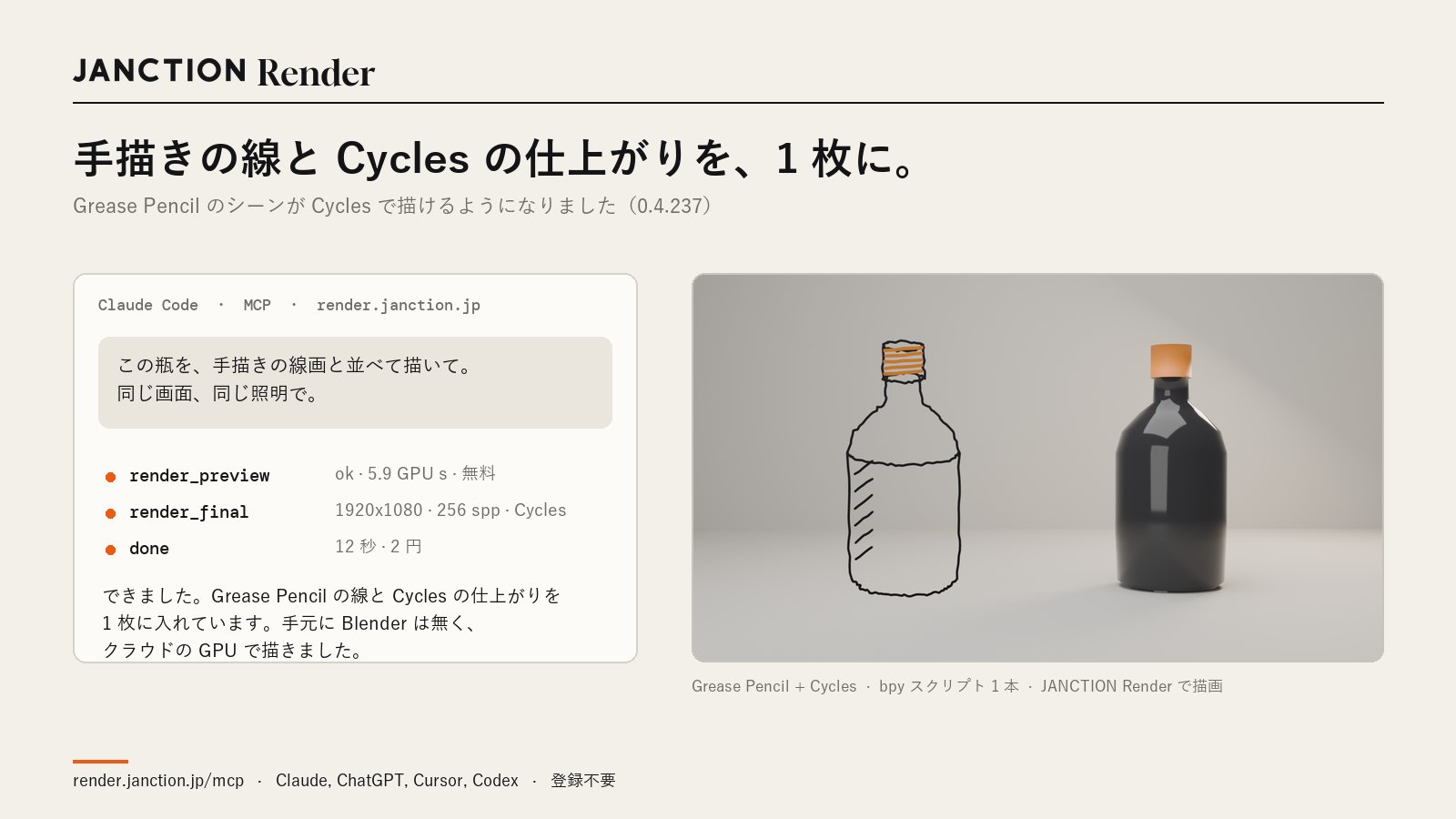
JasmyLab has made it possible to render scenes containing Grease Pencil lines in Cycles with JANCTION Render, its Blender cloud GPU rendering service for AI agents. Hand-drawn line art and a physically based result now fit in a single image.
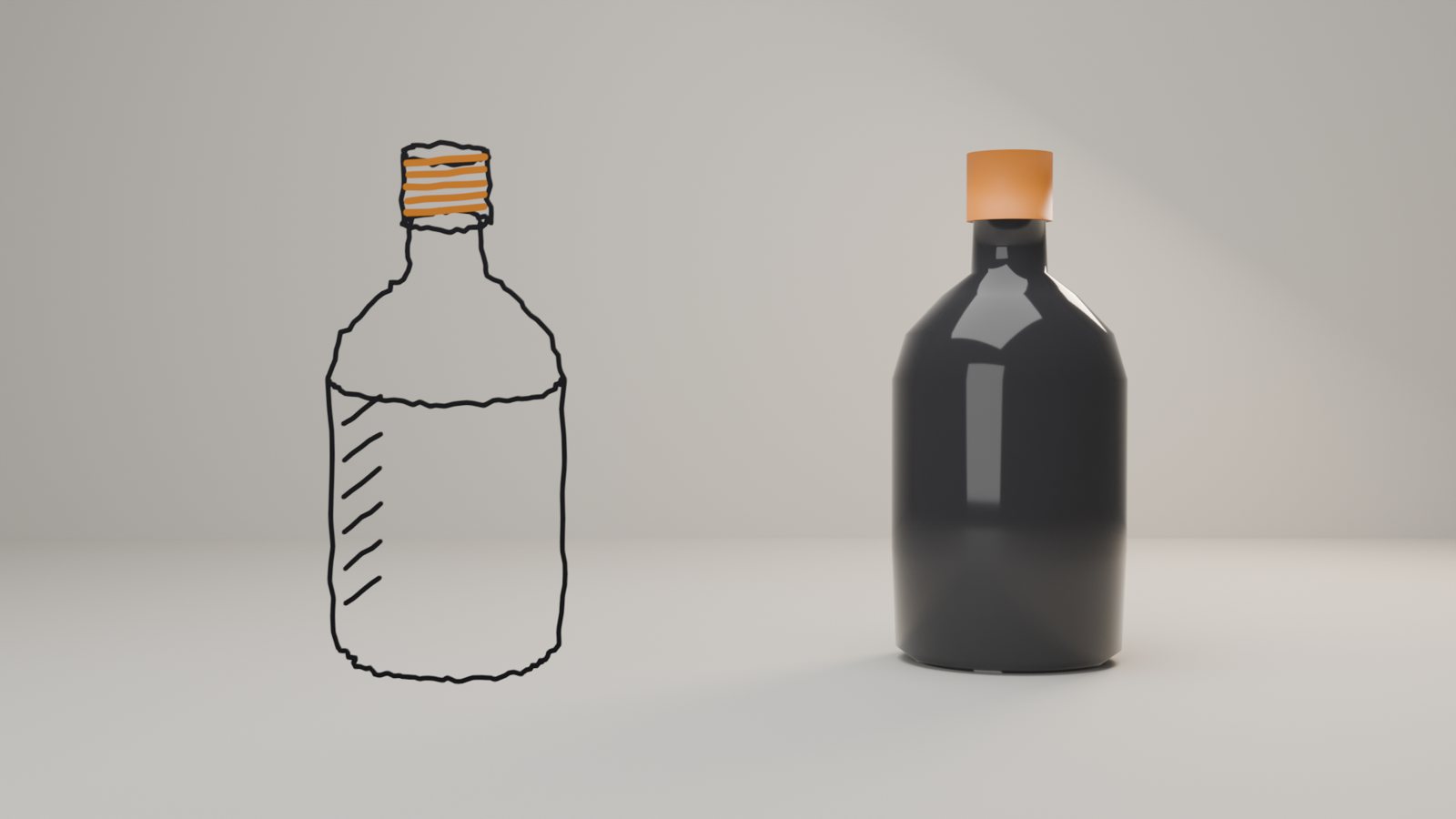
- Lines drawn with Grease Pencil and 3D objects rendered in Cycles go into a single image, in the same frame and under the same lighting.
- It works the same way with a .blend file or with a bpy script written by an AI. No special settings are needed.
- For the bottle image shown here, the preview took 5.9 GPU-seconds (within the free allowance), and the final render at 1920x1080 and 256 samples took 12 seconds and cost 2 JPY.
What changed
Grease Pencil is a Blender feature that lets you place hand-drawn lines in 3D space. It is often used for storyboards, design sheets and work that makes use of line art. Until now, JANCTION Render could not render scenes containing these lines in Cycles with the same appearance. With this update (version 0.4.237), Grease Pencil lines now appear in Cycles images with the same appearance as in Blender on your own machine.
When it is useful
- Explanatory or making-of images that place line art next to the finished result
- Work that keeps hand-drawn lines while giving 3D objects physically based light and materials
- Checking composition and lighting with the storyboard lines left in the frame

How the images shown here were made
The image at the top was made by connecting JANCTION Render to Claude Code over MCP and making the following one-sentence request. The scene is a single bpy script written by the AI, and Blender is not installed on the local PC.
Render this bottle side by side with hand-drawn line art of it, in the same frame and under the same lighting.
| Step | Details | Measured |
|---|---|---|
| Preview (render_preview) | Check the composition and how the lines come out | 5.9 GPU-seconds, within the free allowance |
| Final render (render_final) | 1920x1080, 256 samples, Cycles | 12 seconds, 2 JPY |
The figures are measurements from rendering on the production service on November 4, 2026.
FAQ
- Do I need any special settings to use Grease Pencil?
- No. If the scene contains Grease Pencil lines, it renders with the render engine left on Cycles.
- Do I need Blender or a GPU on my own machine?
- No. Send a .blend file or have an AI write the scene, and it is rendered on GPUs in a Tokyo data center.
- How do I ask from an AI?
- Add the MCP endpoint (https://render.janction.jp/mcp) to ChatGPT, Claude, Codex, Cursor or a similar tool, and describe what you want to render in plain words.
About JANCTION Render
JANCTION Render is a Blender cloud GPU rendering service for AI agents, provided by JasmyLab. By adding a single MCP endpoint to an AI tool such as ChatGPT, Claude, Codex or Cursor, or simply by sending a file from the browser, you can render Blender scenes on GPUs in a Tokyo data center without having a GPU or Blender yourself. You check with a preview that comes back in seconds before moving on to the final render, and the amount is shown before rendering. No sign-up is required, and each new API key comes with 100 JPY of free credit. Supported Blender versions are 3.6, 4.2, 4.5, 5.0 and 5.2.
- Service site: https://render.janction.jp/
- MCP endpoint: https://render.janction.jp/mcp
- Launch announcement: JANCTION Render is now available: Blender cloud GPU rendering for AI agents
Related news
- 2026.11.10 JANCTION Render update: production .blend files now render as they are
- 2026.11.09 Show us what you render: JANCTION Render giveaway, through November 16
- 2026.11.06 JANCTION Render update: previews now come back for heavy scenes
- 2026.11.05 JANCTION Render update: six new options for creators
Announcement on X (Japanese): https://x.com/JanctionMGT_JP/status/2117931566655852771