
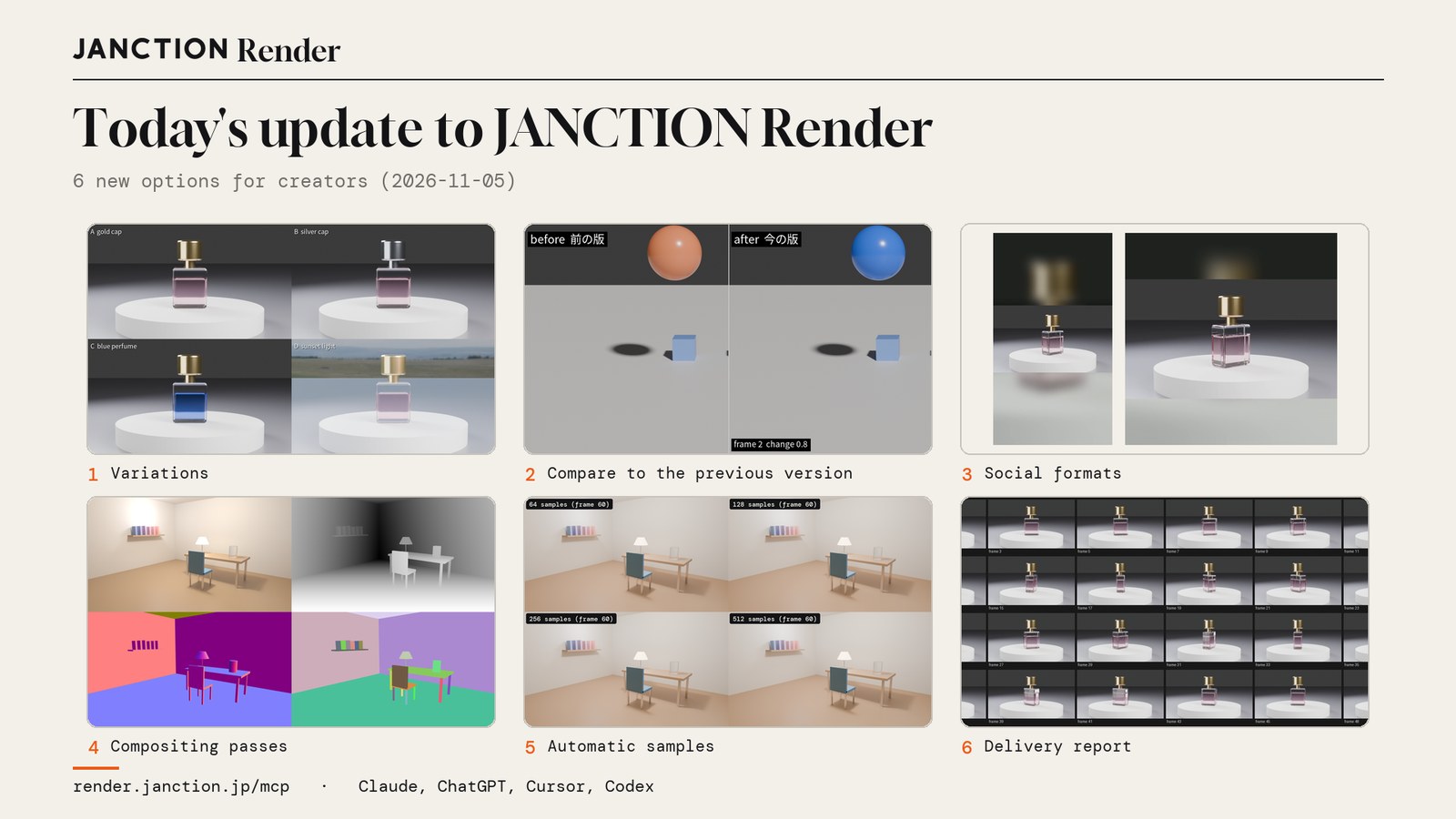
JasmyLab has added six options for creators to JANCTION Render, its Blender cloud GPU rendering service for AI agents: side-by-side color variations, a comparison video against the previous version, exports for social media, EXR for compositing, automatic sample count adjustment, and a delivery check. They are available to everyone.
- The six additions are variations, comparison with the previous version, exports for social media, compositing output, automatic sample count adjustment, and the delivery check.
- There is no extra charge for the comparison video, the exports for social media, or the delivery check.
- For a 120-frame room scene, the sample count was lowered from 512 to 64, cutting GPU time by about 434 seconds without changing the appearance (measured).
The six additions at a glance
| What it does | Parameter name | |
|---|---|---|
| 1 | Variations: line up versions with different colors or lighting in one preview | variations |
| 2 | Comparison with the previous version: make a video with before and after side by side | compare_to |
| 3 | Exports for social media: make videos for X, vertical and square from the same frames | deliver |
| 4 | Compositing output: multilayer EXR containing passes | passes |
| 5 | Automatic sample count adjustment: render with the lowest count that does not change the appearance | auto_samples |
| 6 | Delivery check: check the frames and the video on every final render | report |
The images and figures below were all rendered on the production service on November 5, 2026.
1. Variations
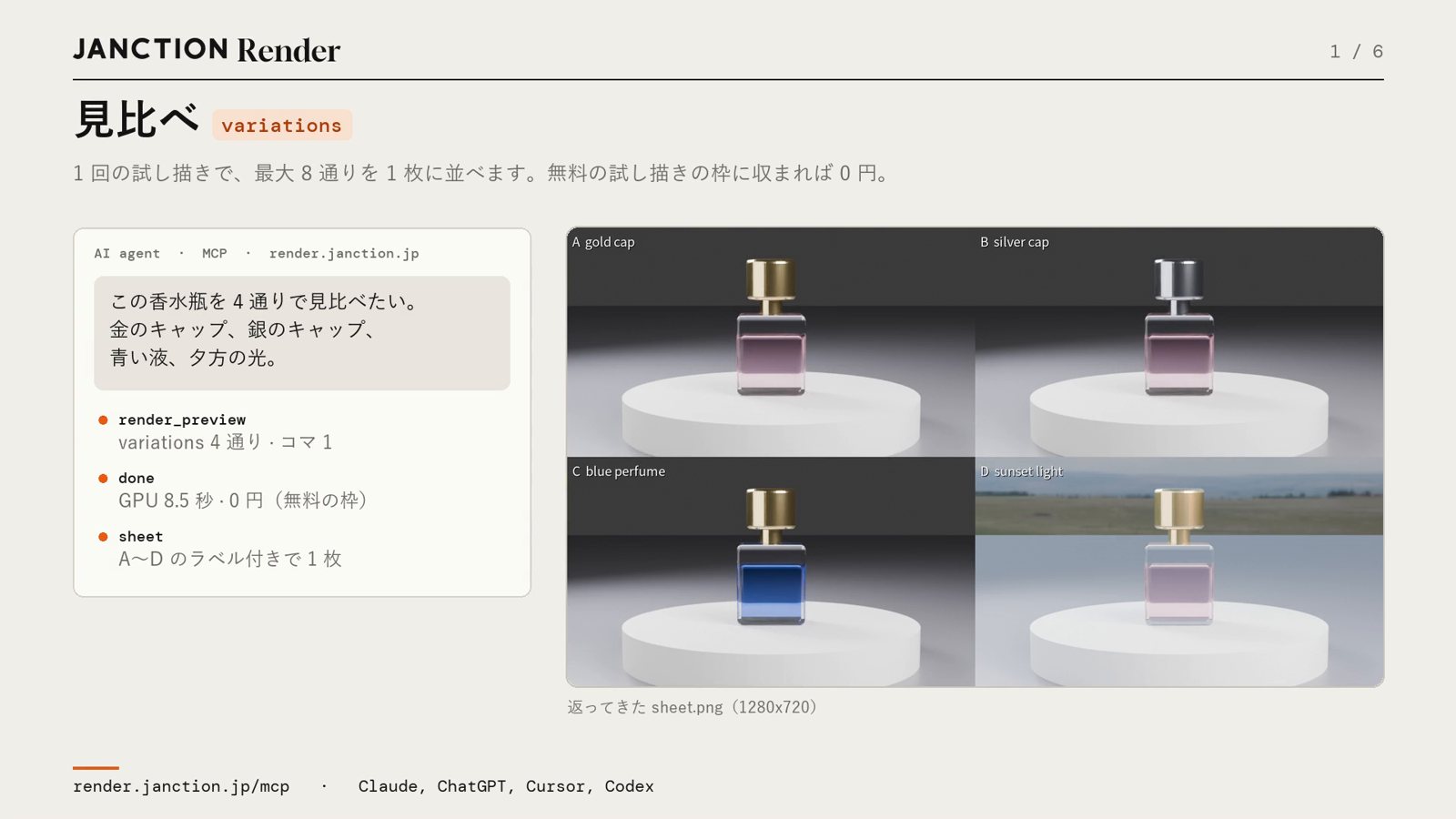
Versions with different colors or lighting are lined up in one image from a single preview. Up to 8 variations can be lined up. In the perfume bottle example, four variations (gold cap, silver cap, blue liquid, evening light) were rendered in one run, taking 8.5 GPU-seconds and costing 0 JPY (within the free allowance). It suits situations where you show options to a client or team and have them choose.
2. Comparison with the previous version
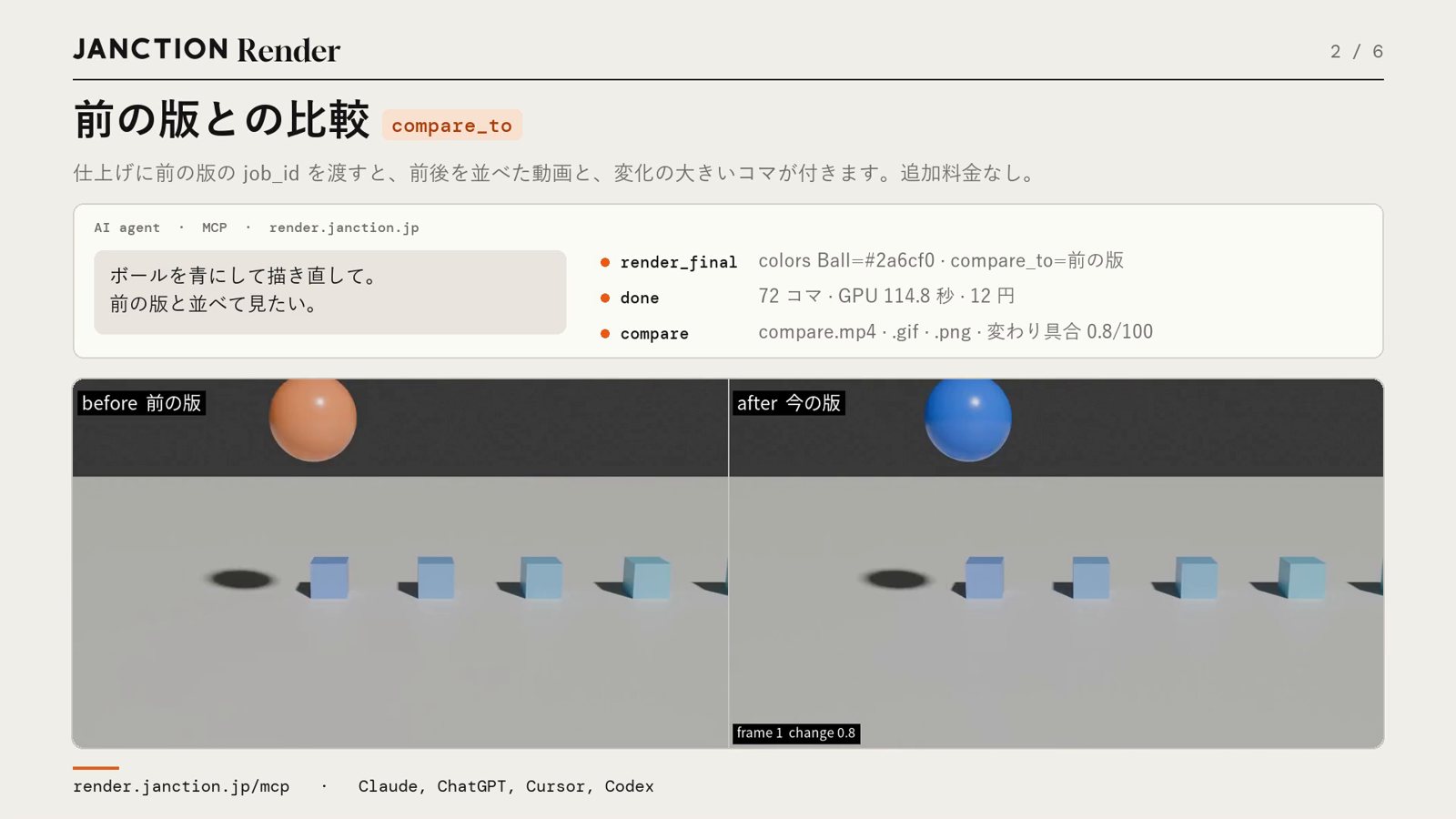
An earlier final render and the current one are made into a video with the two side by side. It also returns how much has changed and which frames changed the most. In the 72-frame bouncing ball example, the before and after of a change to the ball's color were placed side by side. There is no extra charge for the comparison.
3. Exports for social media
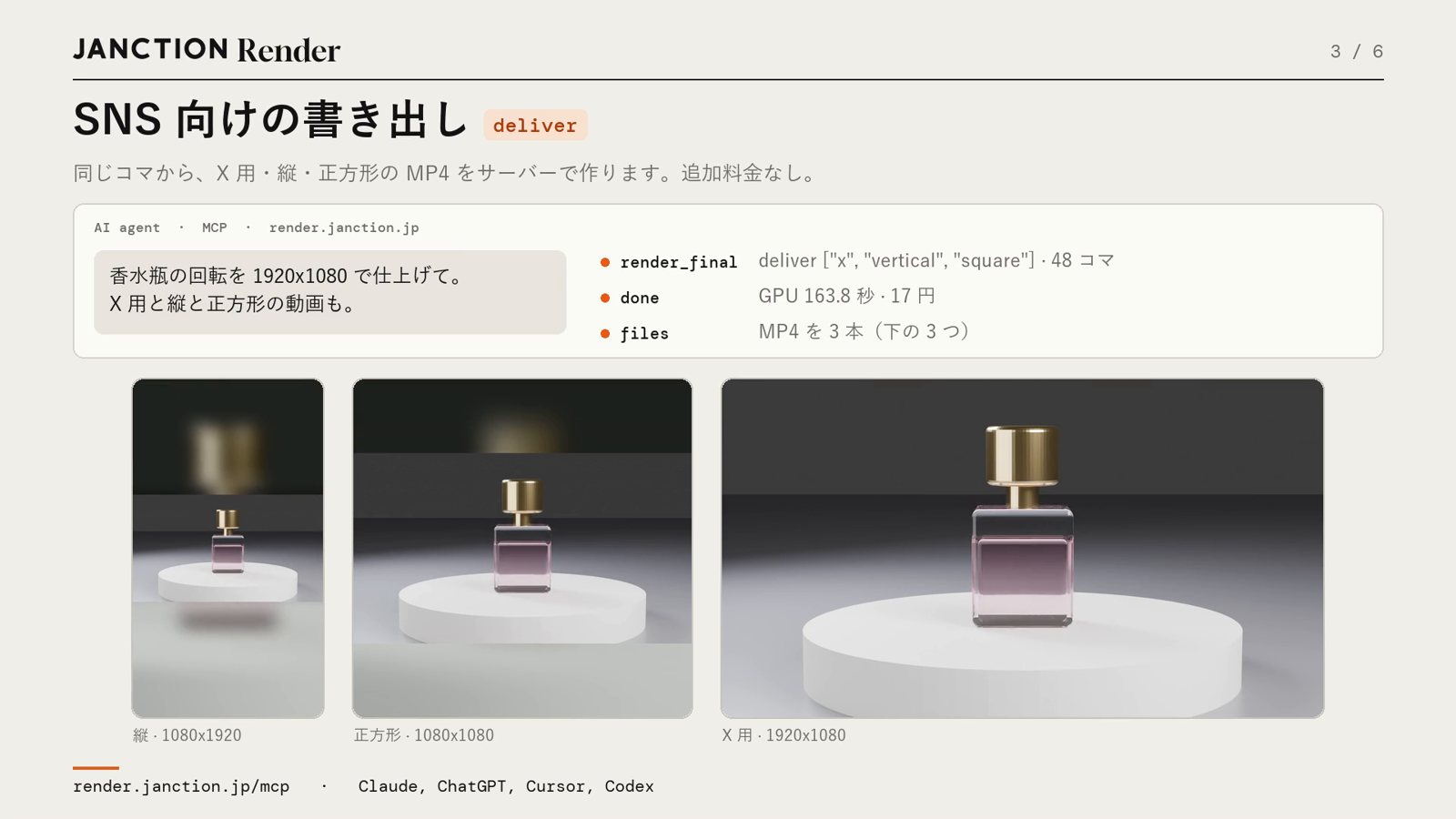
MP4 files for X (landscape), vertical (1080x1920) and square (1080x1080) are made from the same frames. The vertical and square versions do not crop the image; the margins are filled with a blurred copy of the same image. For a 48-frame rotation of the perfume bottle (1920x1080, Cycles, 128 samples), the three files together took 163.8 GPU-seconds and cost 17 JPY. There is no extra charge for the exports.
4. Compositing output
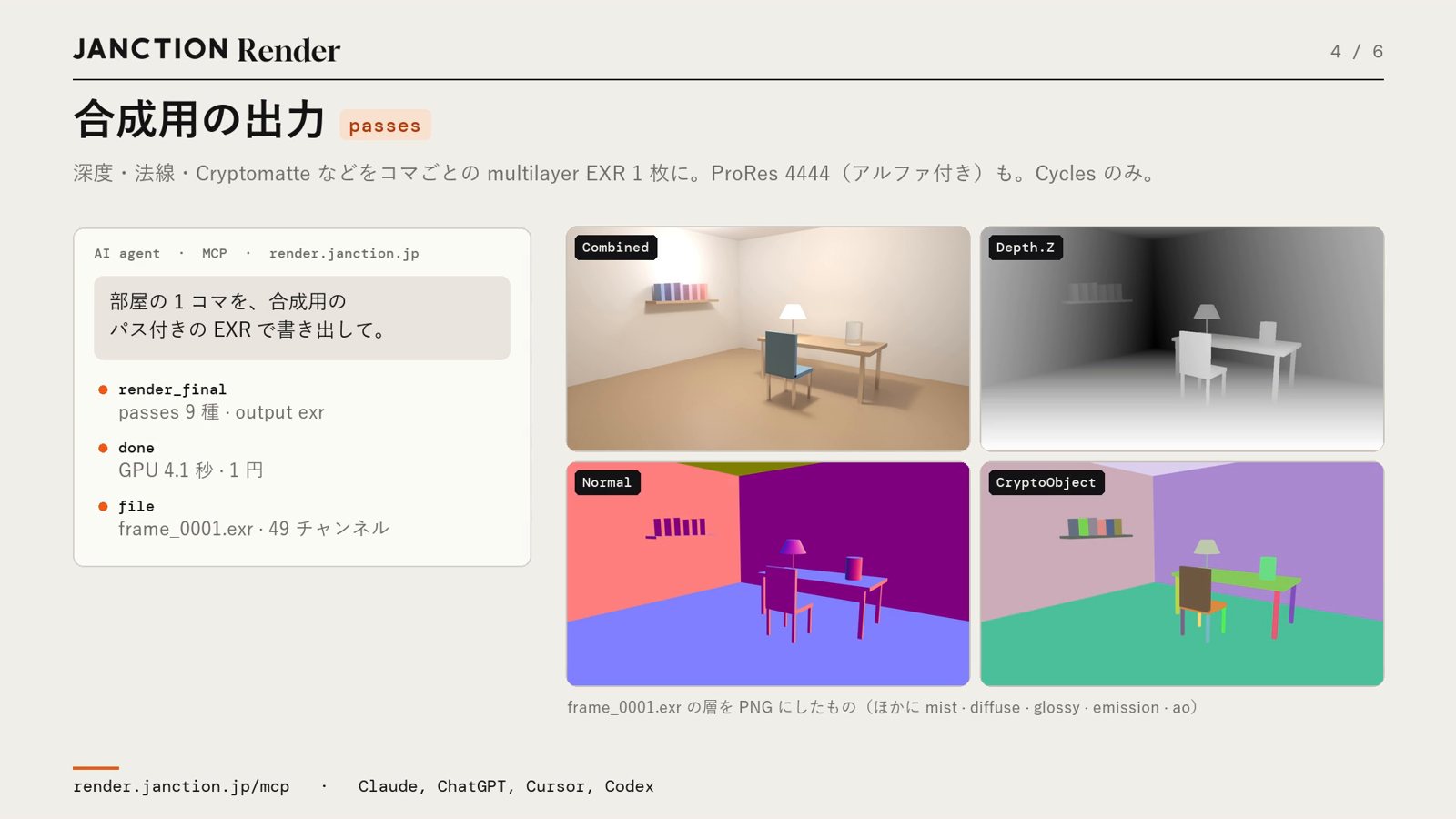
Passes such as depth, normal and Cryptomatte are output as one multilayer EXR per frame. ProRes 4444 with alpha is now also supported (Cycles only). In an example with 9 kinds of passes added to one frame of a room scene, a 49-channel EXR came back in 4.1 GPU-seconds for 1 JPY.
5. Automatic sample count adjustment
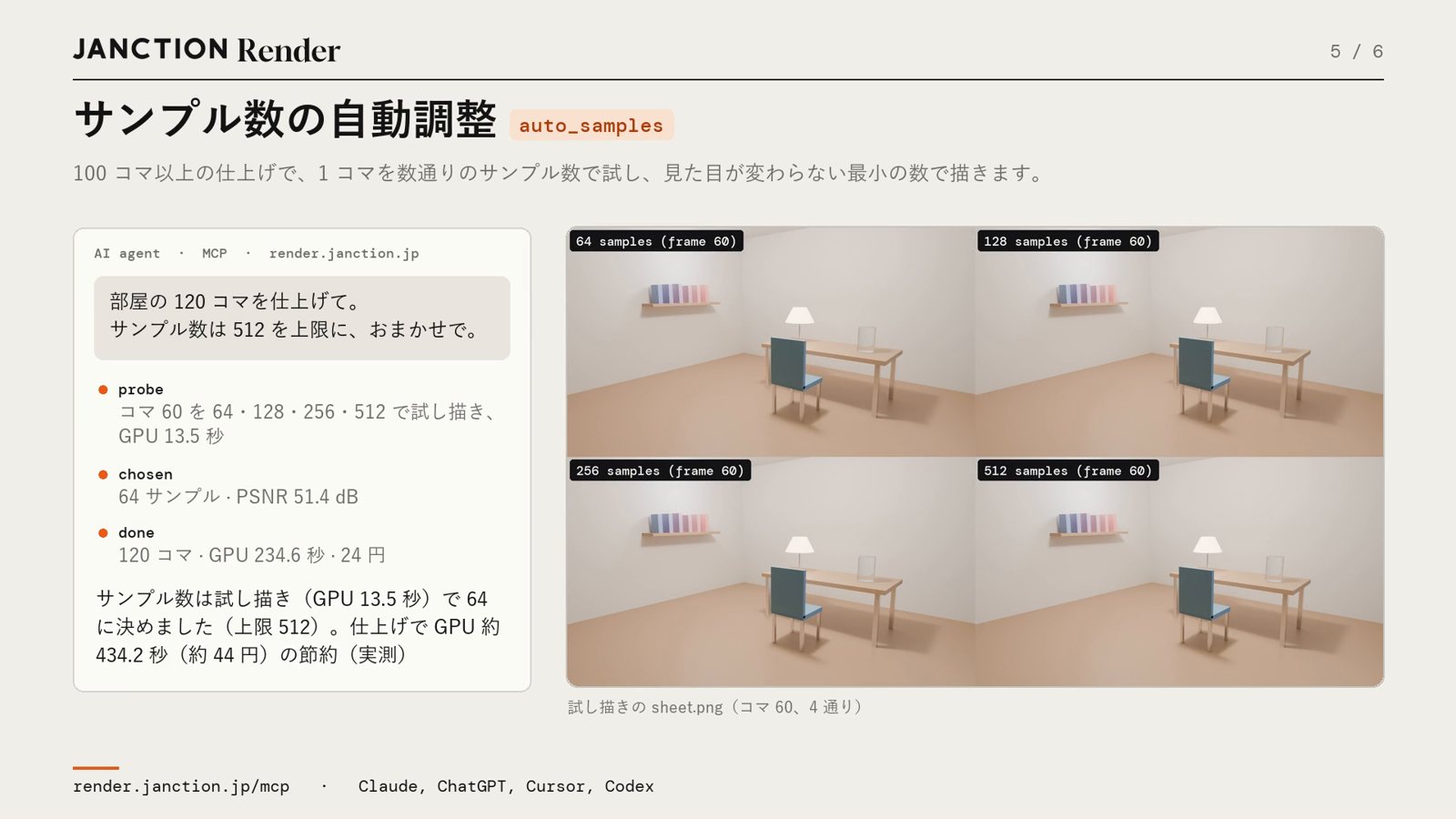
Available for final renders of 100 frames or more. One frame is previewed at several sample counts, the lowest count that does not change the appearance is chosen, and the whole job is rendered with it. For a 120-frame room scene, 64 samples was chosen against an upper limit of 512 (PSNR 51.4 dB compared with the 512-sample image), cutting GPU time by about 434 seconds, or about 44 JPY.
6. Delivery check
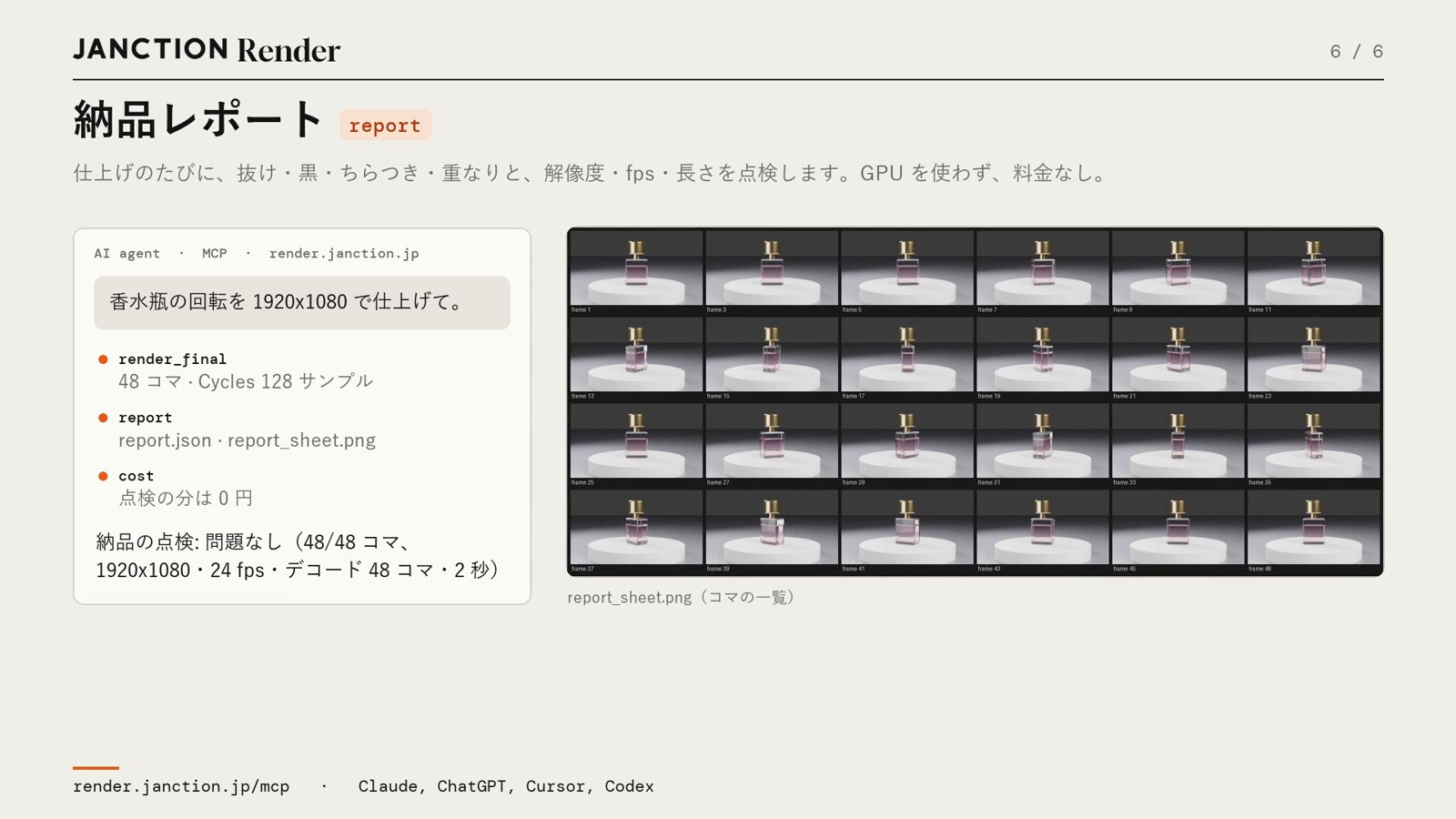
On every final render, it checks for missing frames, black frames, flicker, duplicated frames, resolution, fps and video length, and returns the result in words. A sheet listing the frames is also attached. The check does not use the GPU and is free of charge. For the perfume bottle rotation above, it returned "No problems (48/48 frames, 1920x1080, 24 fps)".
FAQ
- Is there an extra charge?
- There is no extra charge for the comparison video against the previous version, the exports for social media, or the delivery check. Variations are treated as a preview, and cost 0 JPY if they stay within the free allowance. Compositing output and automatic sample count adjustment cost only the GPU time rendered.
- How do I use them?
- Ask the AI in plain words, such as "I want to compare four color variations" or "I want to see it side by side with the previous version". The AI also suggests options that fit the situation in its reply to a preview.
- Can I use them with EEVEE?
- Compositing output (passes and ProRes 4444) is Cycles only.
About JANCTION Render
JANCTION Render is a Blender cloud GPU rendering service for AI agents, provided by JasmyLab. By adding a single MCP endpoint to an AI tool such as ChatGPT, Claude, Codex or Cursor, or simply by sending a file from the browser, you can render Blender scenes on GPUs in a Tokyo data center without having a GPU or Blender yourself. You check with a preview that comes back in seconds before moving on to the final render, and the amount is shown before rendering. No sign-up is required, and each new API key comes with 100 JPY of free credit. Supported Blender versions are 3.6, 4.2, 4.5, 5.0 and 5.2.
- Service site: https://render.janction.jp/
- MCP endpoint: https://render.janction.jp/mcp
- Launch announcement: JANCTION Render is now available: Blender cloud GPU rendering for AI agents
Related news
- 2026.11.10 JANCTION Render update: production .blend files now render as they are
- 2026.11.09 Show us what you render: JANCTION Render giveaway, through November 16
- 2026.11.06 JANCTION Render update: previews now come back for heavy scenes
- 2026.11.04 JANCTION Render update: Grease Pencil line art now renders in Cycles
Announcement on X (Japanese): https://x.com/JanctionMGT_JP/status/2118312941921747096