
JasmyLab has made it possible to check the whole render before the final one on JANCTION Render, its Blender cloud GPU rendering service for AI agents. A long animation comes back as a draft video of up to 24 frames, and a 360-degree turn comes back as one sheet of 24 frames every 15 degrees, in seconds. We have also added connect codes for using one account across AI apps, fix suggestions for failed scripts, and a delivery check on every final render. It is available to everyone from today.
- Draft video: up to 24 small frames from a long animation, played back over its real length, with the estimate for every frame in the same reply.
- Full turn in one sheet: before a 360-degree video, one turn as 24 frames every 15 degrees, so haze angles and backdrop edges show up first.
- Use them from an AI agent (MCP), the browser workbench or the command line. Every final render comes with a delivery check.
The images and figures below were rendered on the production service (render.janction.jp) on November 13, 2026. The sample is a CC0 lantern model from Poly Haven.
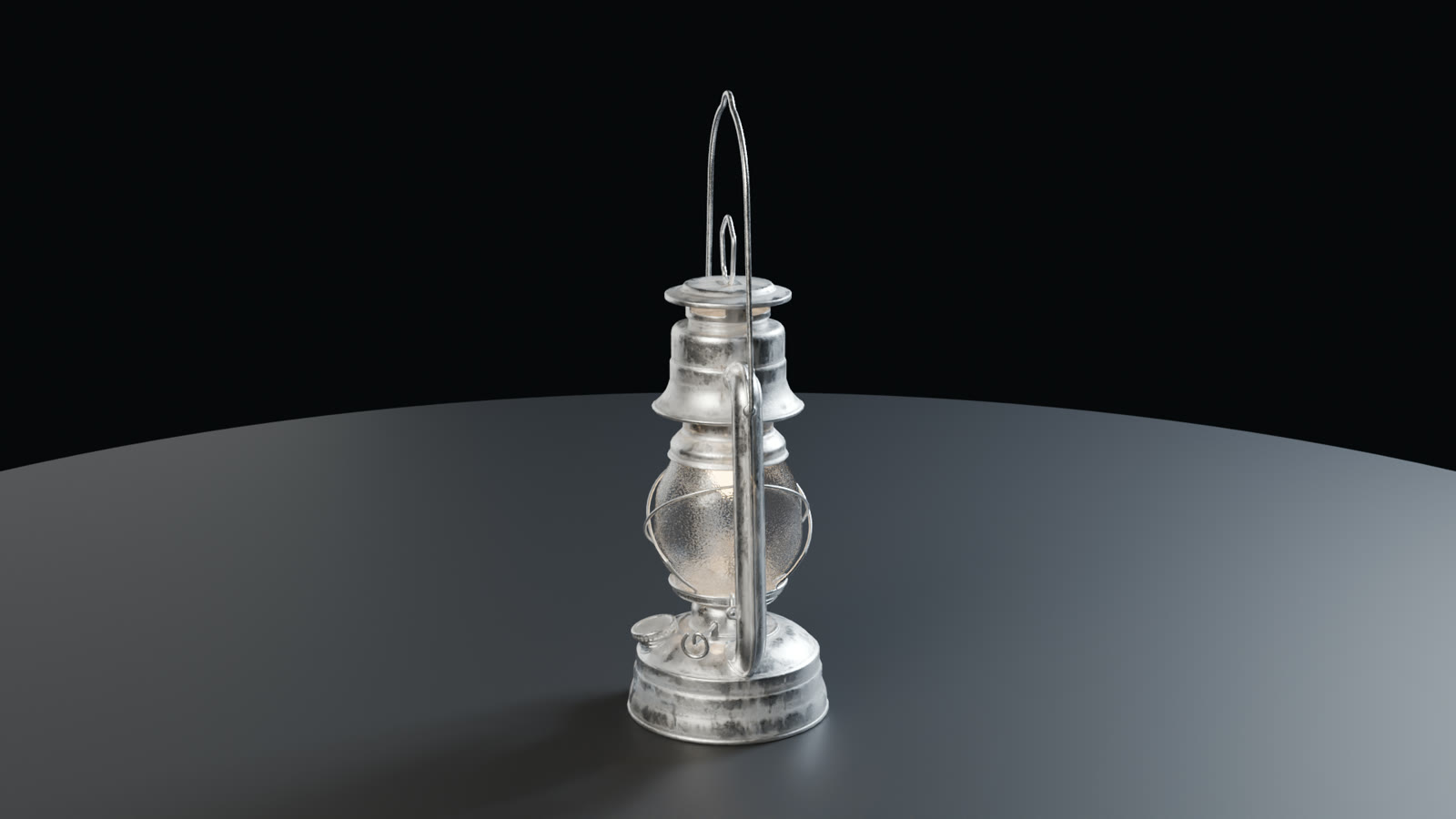
What you can check before the final render
1. Draft video: see the motion before rendering every frame
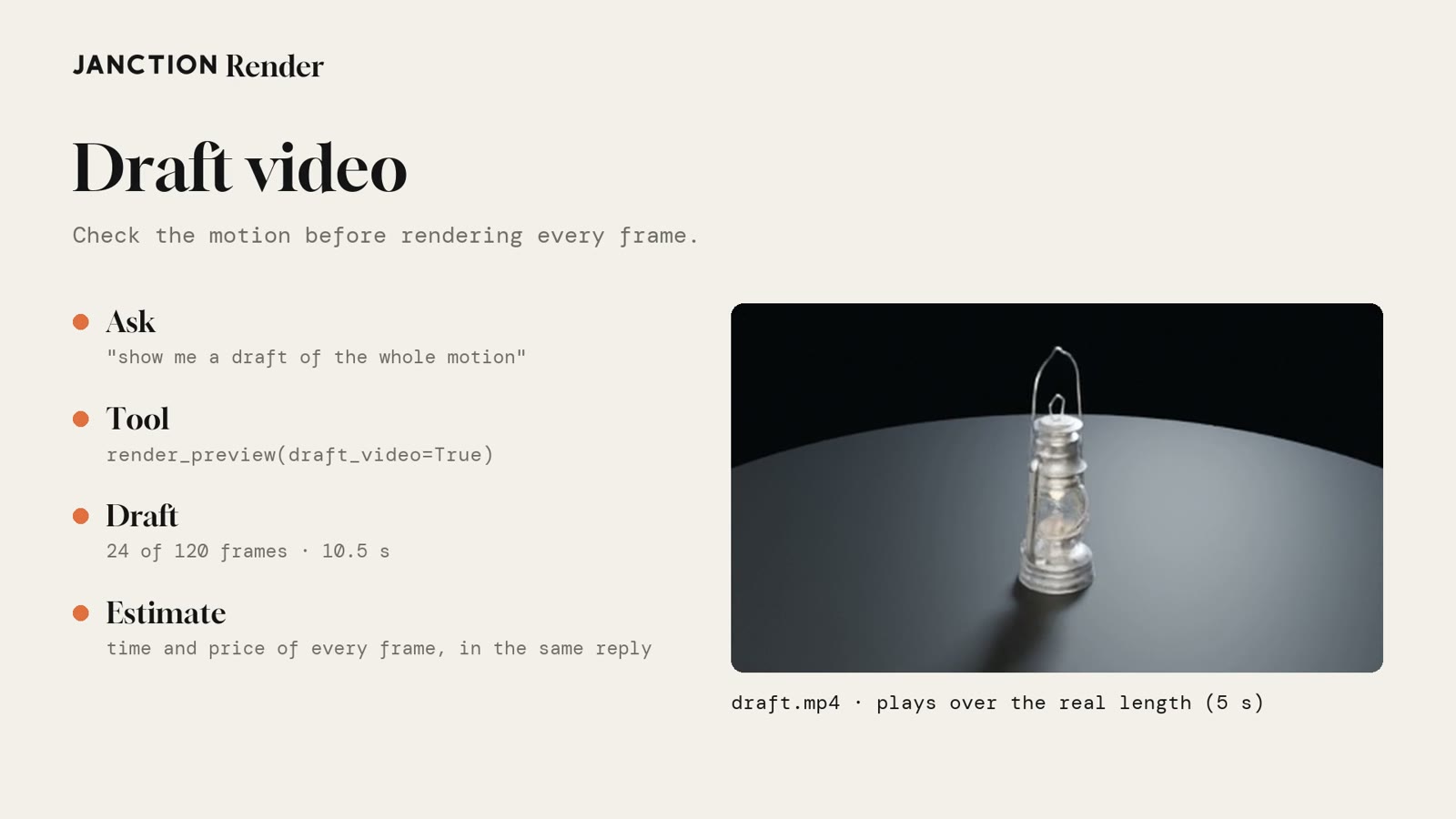
Previews used to come back as a few still frames. For a long animation, you could only see how the motion flows or how fast the camera moves after rendering every frame. A draft video picks up to 24 frames across the animation, renders them small and returns a video (draft.mp4) that plays over the real length. The time and price for rendering every frame come in the same reply.
In our example, a 24-frame draft of a 120-frame (5-second) lantern animation came back in about 10.5 seconds.
2. Full turn in one sheet: see the back before the 360-degree video
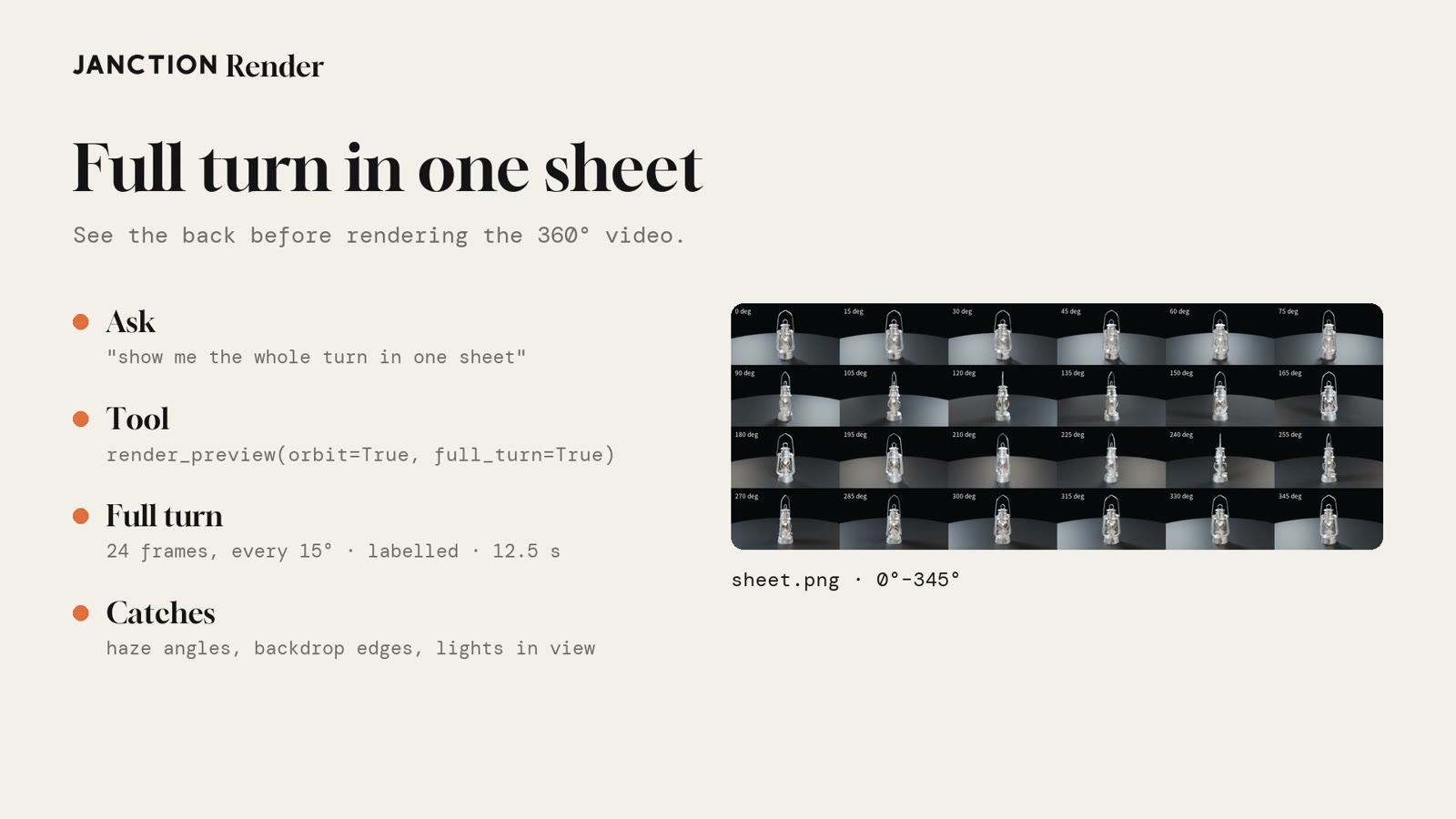
In a 360-degree turntable, a few angles may show the edge of the backdrop, or the camera may pass into an object or into haze. A full turn splits one turn into 24 frames every 15 degrees and returns them in one sheet with angle labels, so you can find what happens at which angle before the final render.
In our example, the 24 frames of the lantern's full turn came back in about 12.5 seconds. If it looks right, the 360-degree video renders with the same settings.
3. From an AI agent, the browser or the command line
Both previews work from AI agents such as Claude or Cursor over MCP (render_preview with draft_video or full_turn), from the browser workbench, and from the janction-render command line. In the workbench, long animations preview as a draft video and 360-degree previews come back as a full turn.
janction-render preview boat.py --draft-video
janction-render preview mug.py --full-turn
4. One account across your AI apps (connect codes)
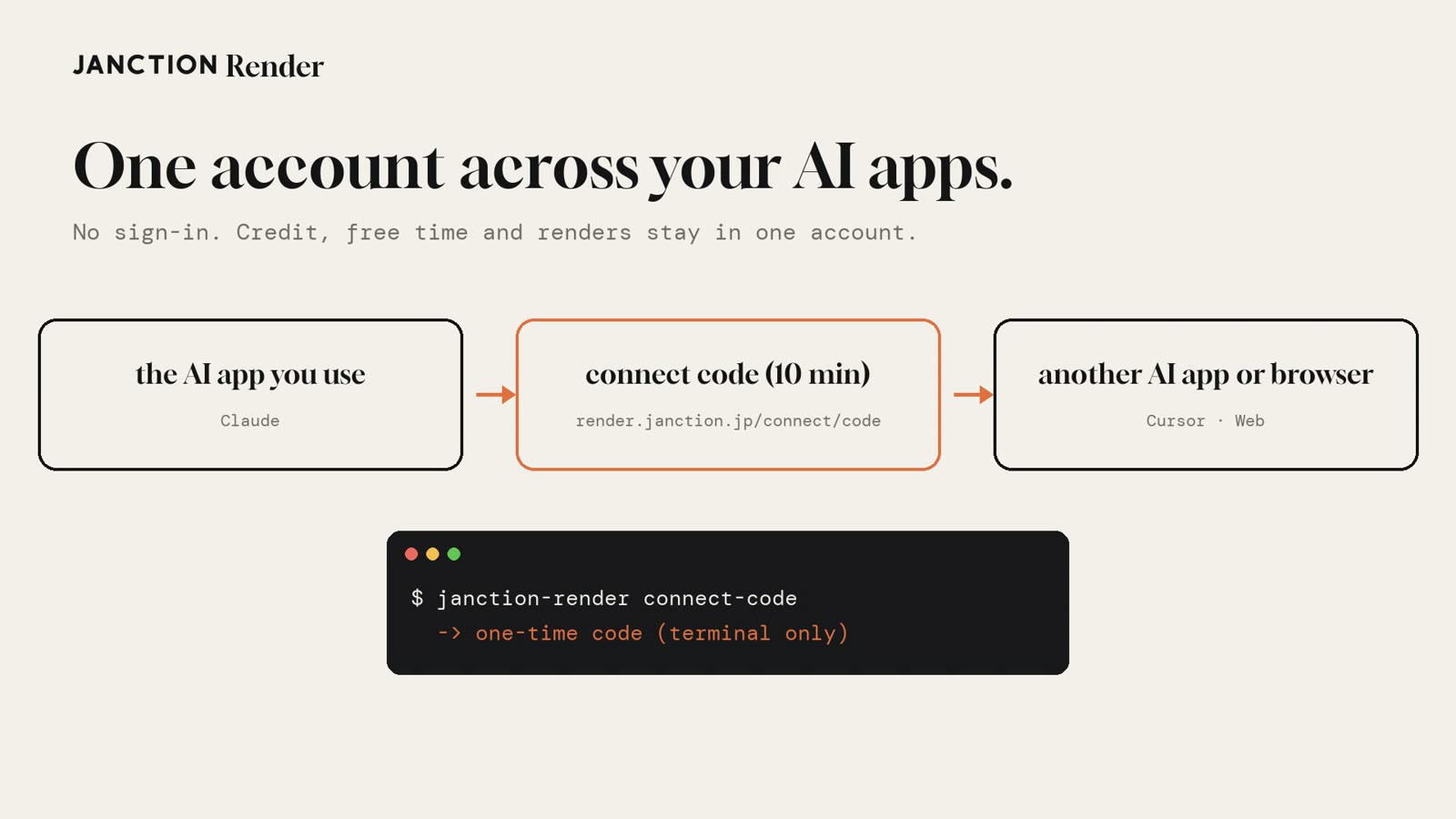
The account you use in your usual AI app can now be used in other AI apps and browsers without signing in. Hand over a one-time connect code valid for 10 minutes, and credit, free time and renders stay in the same account. On the command line, janction-render connect-code prints a code.
5. A failed script comes back with what to change
When a Blender Python (bpy) script written by an AI stops, the reply now says where and what to change, not only what happened. For example, a script that imports scipy, which is not installed in Blender's Python here, comes back with "remove the scipy import on line 2 and rewrite it with the standard library or numpy". Nothing was rendered, so nothing is charged.
6. Every final comes with a delivery check
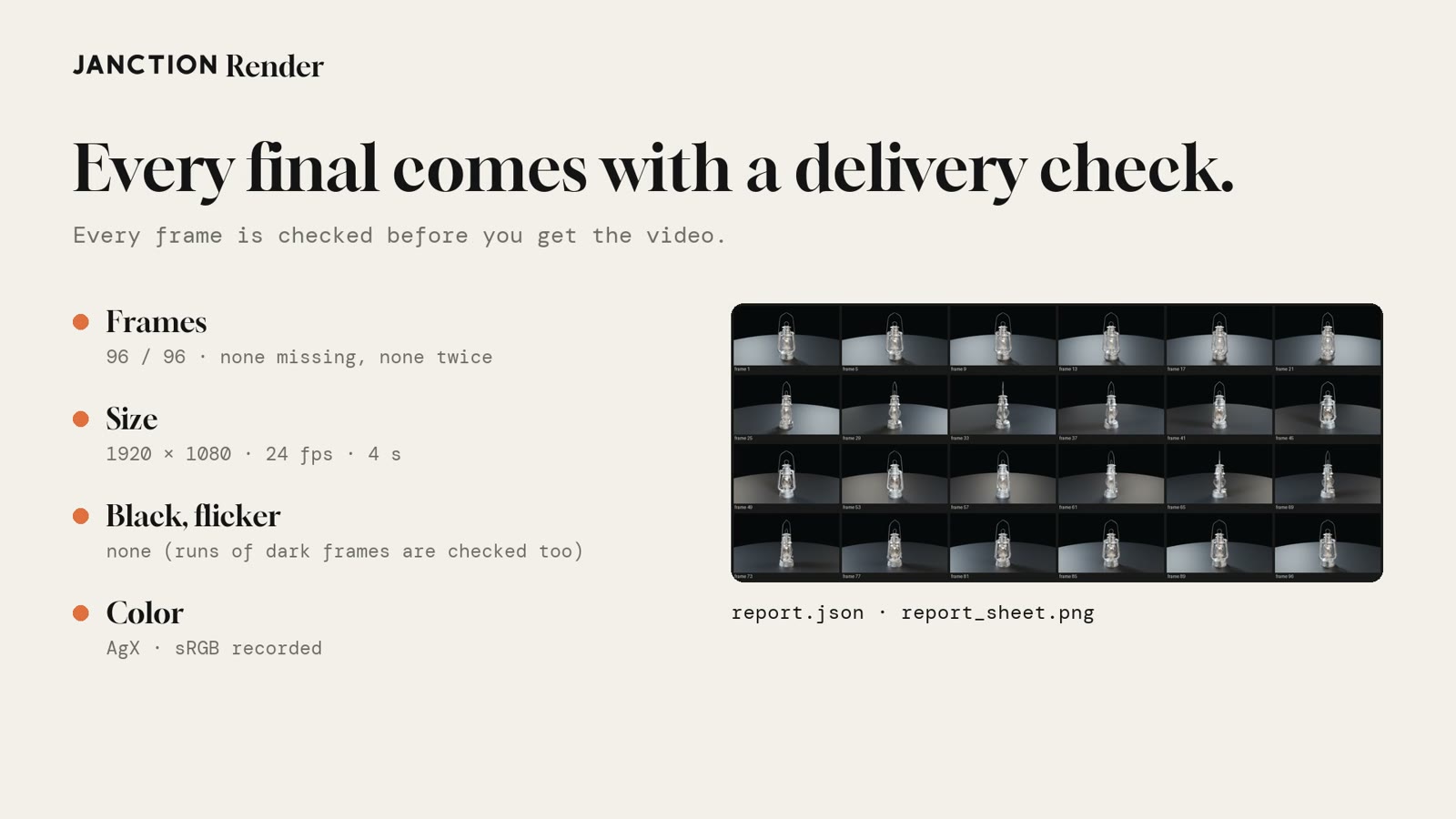
Before returning a final video, the service checks every frame: missing or duplicated frames, size and frame rate, black frames (including runs of dark frames) and flicker. It records the color settings (such as AgX and sRGB) and returns report.json and a check sheet with the video.
Also new: .ply, .glb and .spz links from Hugging Face or GitHub load as they are, the same final sent twice is rendered once, and the critic now tells splat haze from darkness and says how to fix it.
How to use it
From an AI agent, add the MCP endpoint (https://render.janction.jp/mcp) and ask:
Show me a draft video of this animation before rendering every frame.
Before the 360-degree video, show me the whole turn in one sheet.
If the motion and angles look right, go on to the final render with the same settings. In the browser, try it in the workbench at render.janction.jp (no sign-up needed).
Measured results
| Item | Result |
|---|---|
| Sample | CC0 lantern model from Poly Haven, 120-frame animation |
| Draft video | 24 of 120 frames, plays over the real length (5 s). Came back in about 10.5 s |
| Full turn | 24 frames every 15 degrees, with angle labels. Came back in about 12.5 s |
| Final | 1920x1080, 96 frames, 128 samples (Cycles), 2 min 12 s, 319 GPU seconds |
| Delivery check | 96/96 frames, 1920x1080, 24 fps, 4 s. No black frames or flicker. AgX and sRGB recorded |
| Failed script | Stopped at a scipy import; the reply said to remove it and use the standard library or numpy. No charge |
FAQ
- What is a draft video in JANCTION Render?
- A preview that renders up to 24 small frames from a long animation and plays them back over the animation's real length. The time and price estimate for rendering every frame comes in the same reply. For a 120-frame animation, a 24-frame draft video came back in about 10 seconds.
- What is a full turn in one sheet?
- Before a 360-degree turntable video, one full turn is split into 24 frames every 15 degrees and laid out in one labelled sheet, so angles where the camera enters haze, backdrop edges and the back of the object show up first.
- Where can I use them?
- From AI agents such as Claude or Cursor over MCP (render_preview with draft_video or full_turn), from the browser workbench, or from the command line (janction-render preview --draft-video / --full-turn).
- What is a connect code?
- A one-time code valid for 10 minutes that lets you use one account in other AI apps and browsers without signing in. Credit, free time and renders stay in the same account.
- What does the delivery check on a final render cover?
- It checks that every frame is present, the size and frame rate, black frames and flicker, records the color settings, and returns report.json and a check sheet with the video.
About JANCTION Render
JANCTION Render is a Blender cloud GPU rendering service for AI agents, provided by JasmyLab. Add one MCP endpoint to an AI such as ChatGPT, Claude, Codex or Cursor, or send a file from the browser, and Blender scenes render on GPUs in a Tokyo data center with no local GPU or Blender. You check a preview that comes back in seconds before the final render, and the price is shown before anything renders. No sign-up is needed, and a new API key comes with 100 JPY of free credit. Supported Blender versions are 3.6, 4.2, 4.5, 5.0, 5.2 and 5.3.
- Service site: https://render.janction.jp/
- MCP endpoint: https://render.janction.jp/mcp
- Launch announcement: JANCTION Render is now available: Blender cloud GPU rendering for AI agents
Related news
- 2026.11.12 JANCTION Render update: Gaussian splats now render
- 2026.11.11 JANCTION Render update: Blender 5.3 is now supported
- 2026.11.10 JANCTION Render update: production .blend files now render as they are
- 2026.11.09 Show us what you render: JANCTION Render giveaway, through November 16
- 2026.11.06 JANCTION Render update: previews now come back for heavy scenes
On X: https://x.com/JANCTION_Global/status/2121205454772855281