
JasmyLab has made 3D Gaussian splats renderable on JANCTION Render, its Blender cloud GPU rendering service for AI agents. Send a .spz or a 3DGS .ply exported from your scan app and it opens in Blender 5.3, from a quick preview to a 360-degree turntable video. Scans too heavy for your own GPU render on cloud GPUs. It is available to everyone from today.
- .spz and 3DGS .ply files open and render in Blender 5.3, which is chosen even when no version is given. Both Cycles and EEVEE work.
- Previews come back in seconds, so you can find the angles where the camera runs into haze and fix them before the final.
- Up to 2 million splats. Larger files are declined before anything renders, and nothing is charged.
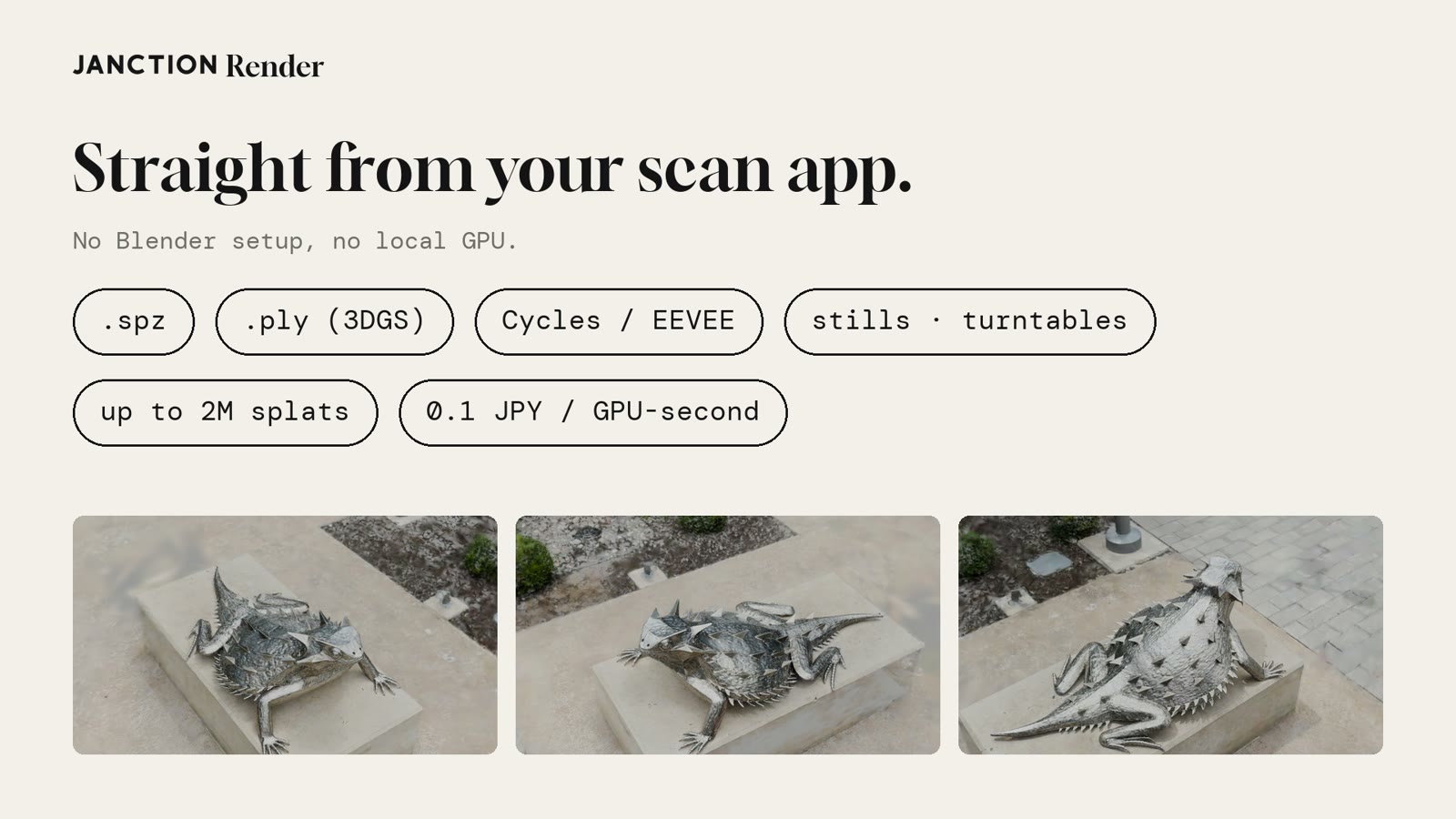
The images and numbers below were rendered on the production service (render.janction.jp, Blender 5.3.0) on November 12, 2026. The sample is the horned lizard from the nianticlabs/spz public samples (MIT license): a 17.3 MB .spz with 786,233 splats.

What Gaussian splat support gives you
1. Render your scan app's export as it is
A 3D Gaussian splat is a way of representing a scan built from photos, and it is one of the headline features of Blender 5.3. JANCTION Render accepts .spz files from scan apps and 3DGS .ply files (both color-only ones and ones with spherical harmonics). No Blender setup and no local GPU are needed. Give the AI the file's URL and ask it to "preview this splat". A file attached to ChatGPT works too. For a file on your computer, drop it at render.janction.jp/upload to get a link that lasts 12 hours, and give that link to the AI.
Splats open in Blender 5.3 without a version being given. If an older version such as 5.0 is requested, the service replies that Blender 5.3 is required instead of rendering. A regular mesh .ply is rendered as a mesh, as before.
2. Find the haze in the preview
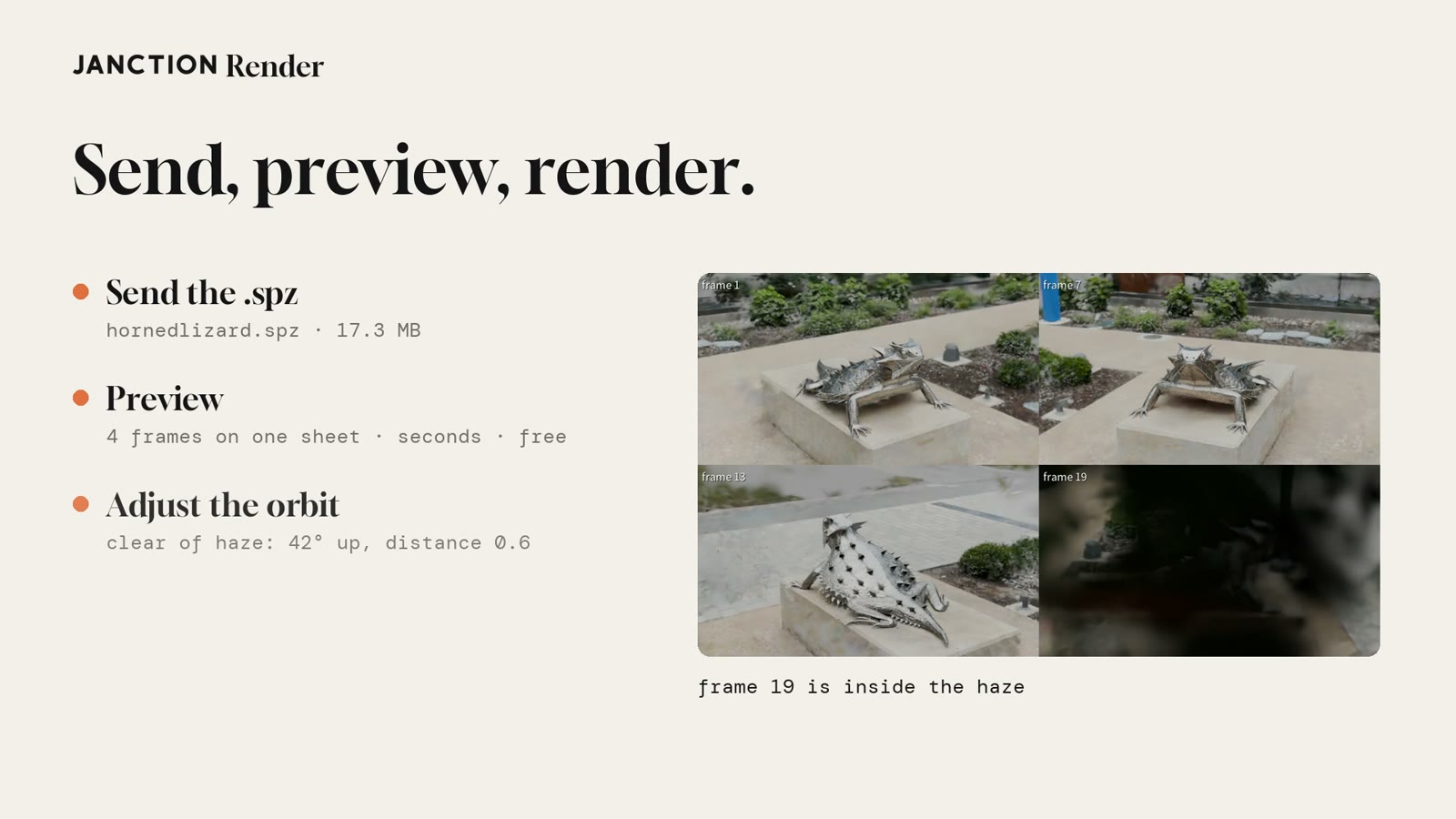
When the camera goes inside the cloud of splats, a splat shows up as a white haze. On a 360-degree orbit, only some angles may run into it. A preview puts four frames on one sheet and comes back in seconds, so those angles show up before the final.
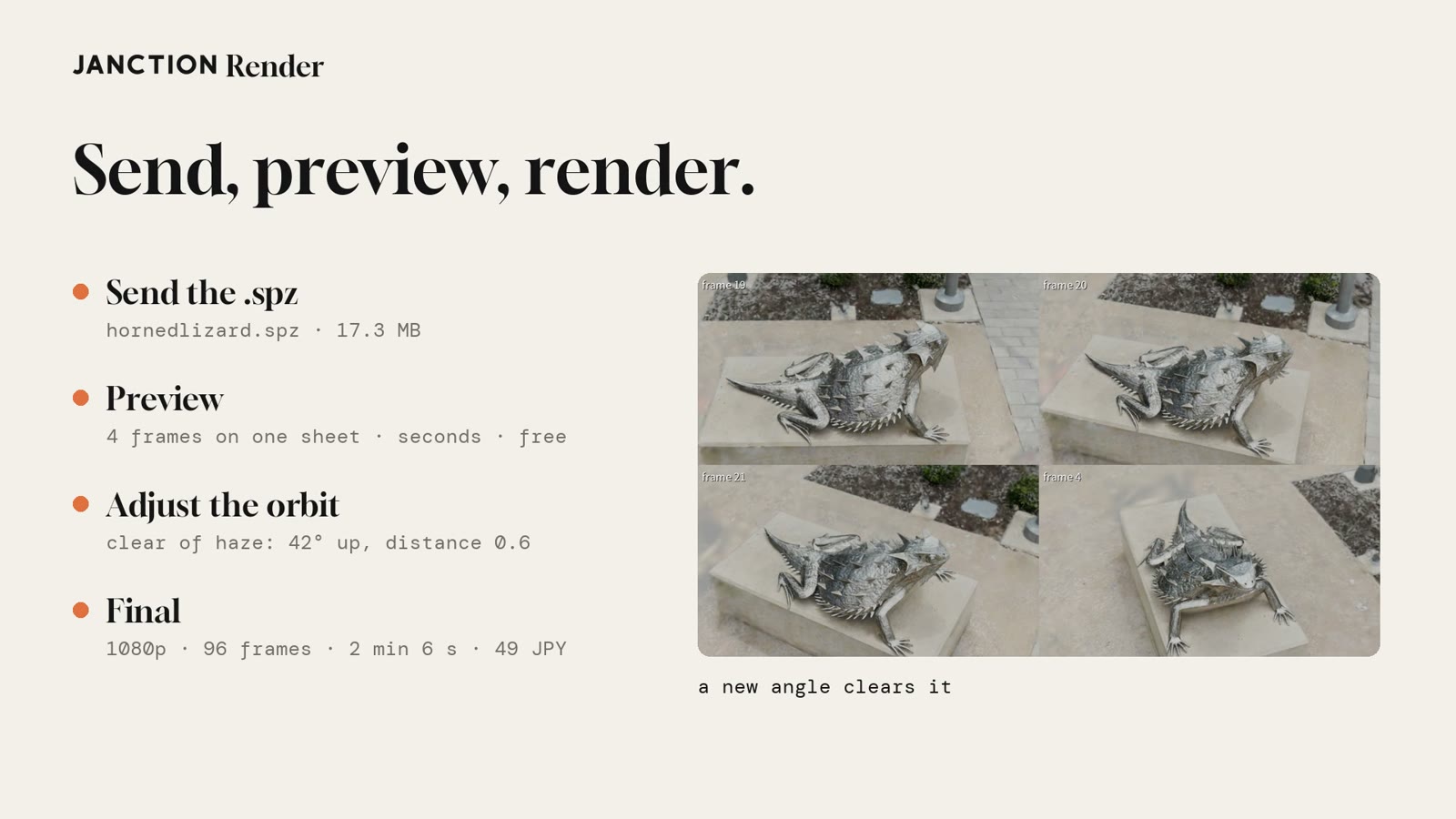
In the example, at an elevation of 18 degrees, frame 19 was inside the haze. After changing to an elevation of 42 degrees and a distance of 0.6 and previewing again, the lizard was clear in all four frames. Each preview took about 5.5 GPU-seconds and stayed within the free daily preview time.
3. Check, then render the final
With the angle set, ten consecutive frames were rendered with the final settings, the estimate was measured again, and then the 96 frames were rendered. The 1080p, 96-frame final took 2 minutes 6 seconds and 483 GPU-seconds. The delivery check passed (all 96 frames, 1920x1080, 24 fps, 4 seconds), and all 96 frames were also checked by eye for haze and missing parts.
How to use it
From an AI agent, add the one MCP endpoint, give it the file's URL and ask:
Preview this splat as a 360-degree turntable.
Four angles come back in seconds. If an angle runs into the haze, change the elevation or distance and preview again; when it looks right, go on to the final render (a still, an image sequence or a video). For a .spz or .ply on your computer, drop it at render.janction.jp/upload and give the link to the AI (no sign-up).
Measured results
| Item | Result |
|---|---|
| Sample | Horned lizard from nianticlabs/spz (MIT), 786,233 splats, 17.3 MB .spz |
| Blender | Blender 5.3.0 (chosen automatically, no version given), Cycles |
| Preview | Four frames on one sheet, about 5.5 GPU-seconds each, within the free preview time |
| Angle fix | At 18 degrees, frame 19 was inside the haze; clear at 42 degrees and distance 0.6 |
| Final | 1920x1080, 96 frames, 128 samples: 2 min 6 s, 483 GPU-seconds, 49 JPY |
| Delivery check | All 96 frames, 1920x1080, 24 fps, 4 seconds; no haze or missing parts by eye |
| Size limit | Up to 2 million splats; a 2.05-million-splat file was declined before rendering, with no charge |
Frequently asked questions
- Can JANCTION Render render Gaussian splats?
- Yes. Since November 12, 2026, .spz files from scan apps and 3DGS .ply files render with Blender 5.3 on cloud GPUs, with Cycles or EEVEE. It is available to everyone.
- Which file formats are supported?
- .spz and 3DGS .ply. A .ply can be color-only or carry spherical harmonics. A regular mesh .ply is rendered as a mesh, as before.
- Do I need to choose a Blender version?
- No. Splats open in Blender 5.3 automatically. If an older version such as 5.0 is requested, the service replies that Blender 5.3 is required instead of rendering.
- How many splats can it render?
- Up to 2 million. Larger files are declined before anything renders, and nothing is charged.
- Can I use it without a local GPU?
- Yes. Add the MCP endpoint (https://render.janction.jp/mcp) to an AI agent such as Claude, ChatGPT, Cursor or Codex and give it the file's URL. For a file on your computer, drop it at https://render.janction.jp/upload to get a link. Rendering runs on GPUs in a Tokyo data center.
About JANCTION Render
JANCTION Render is a Blender cloud GPU rendering service for AI agents, provided by JasmyLab. Add one MCP endpoint to an AI such as ChatGPT, Claude, Codex or Cursor, or send a file from the browser, and Blender scenes render on GPUs in a Tokyo data center with no local GPU or Blender. You check a preview that comes back in seconds before the final render, and the price is shown before anything renders. No sign-up is needed, and a new API key comes with 100 JPY of free credit. Supported Blender versions are 3.6, 4.2, 4.5, 5.0, 5.2 and 5.3.
- Service site: https://render.janction.jp/
- MCP endpoint: https://render.janction.jp/mcp
- Launch announcement: JANCTION Render is now available: Blender cloud GPU rendering for AI agents
Related news
- 2026.11.11 JANCTION Render update: Blender 5.3 is now supported
- 2026.11.10 JANCTION Render update: production .blend files now render as they are
- 2026.11.09 Show us what you render: JANCTION Render giveaway, through November 16
- 2026.11.06 JANCTION Render update: previews now come back for heavy scenes
- 2026.11.05 JANCTION Render update: six new options for creators
On X: https://x.com/JANCTION_Global/status/2120835200674644300