
JasmyLab's JANCTION Render, its Blender cloud GPU rendering service for AI agents, can now re-render just the part of a still you changed. Change the scene, and only the box around the change is rendered and put back into the earlier image. Everything outside the box stays as it was, and the edge blends in. PNG and EXR stills can now also be finished in 8K (7680x4320).
- Only the box around the change is rendered and put back into the earlier image. Everything outside stays as it was.
- Use region and region_of on render_final from AI agents, or --region and --region-of in the CLI.
- PNG and EXR stills can be finished up to 8K (7680x4320) with prepaid credit.
The images and figures below were rendered on the production service (render.janction.jp).
Re-render just the part you changed
1. Render the box, put it back
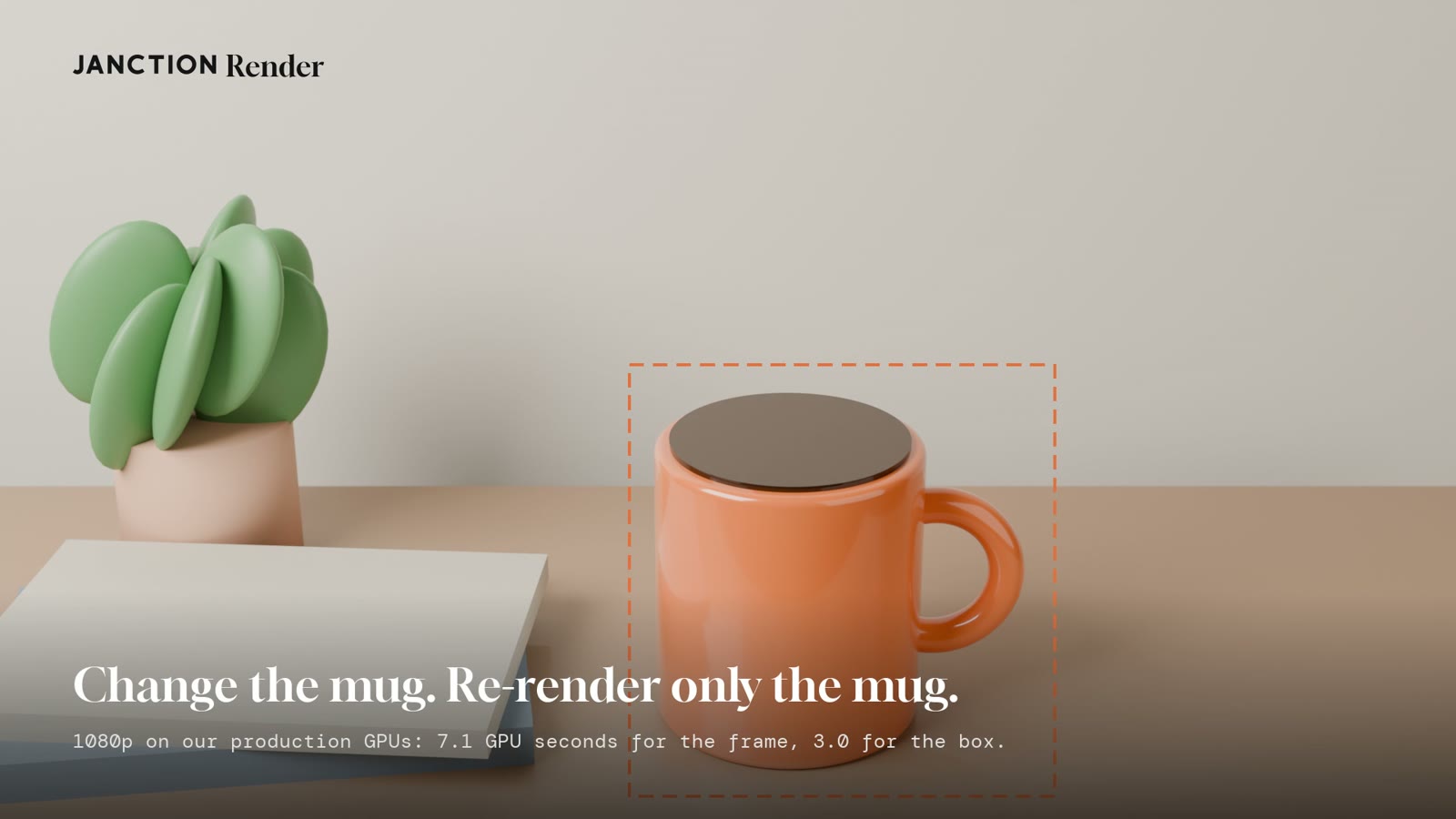
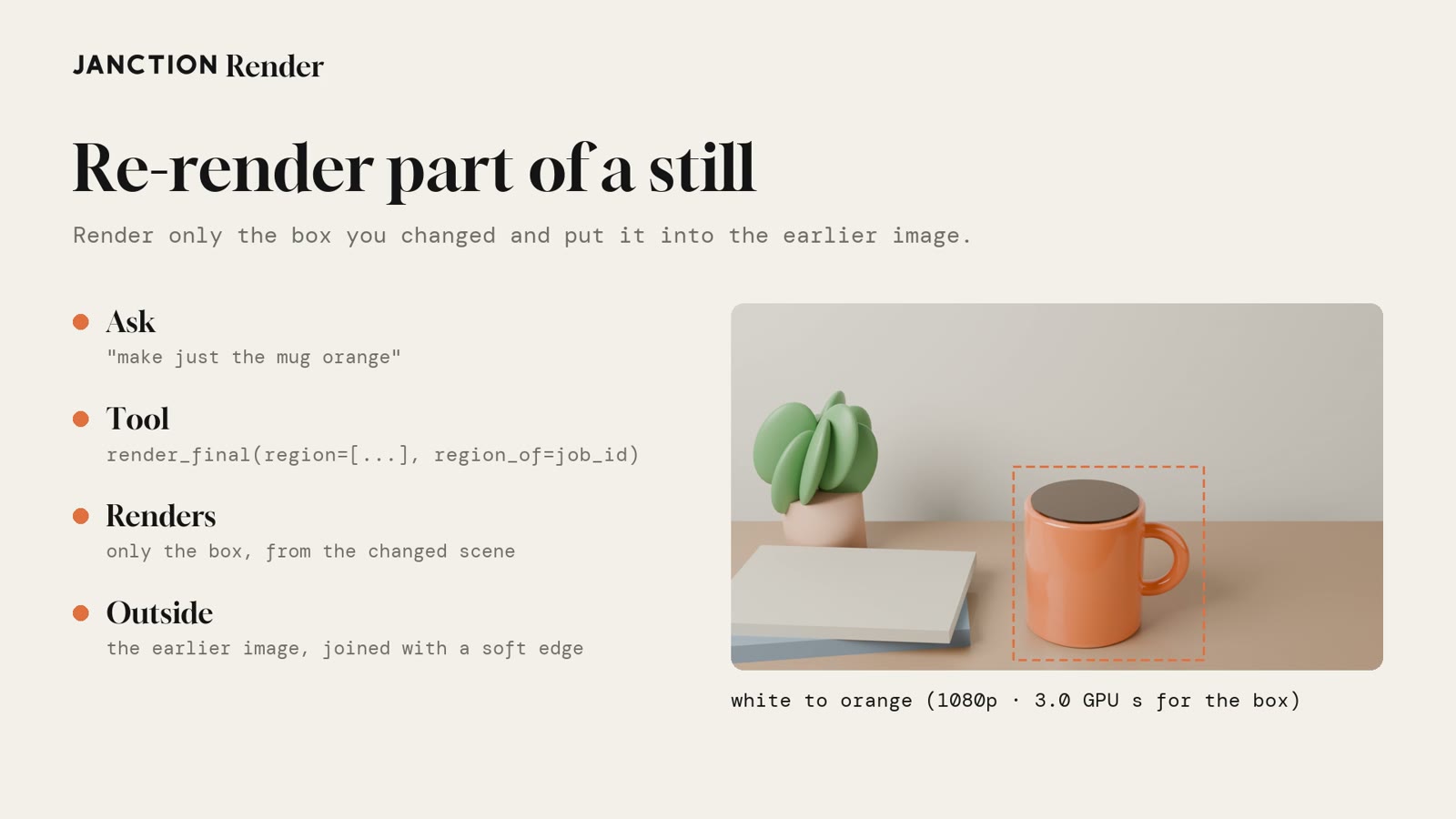
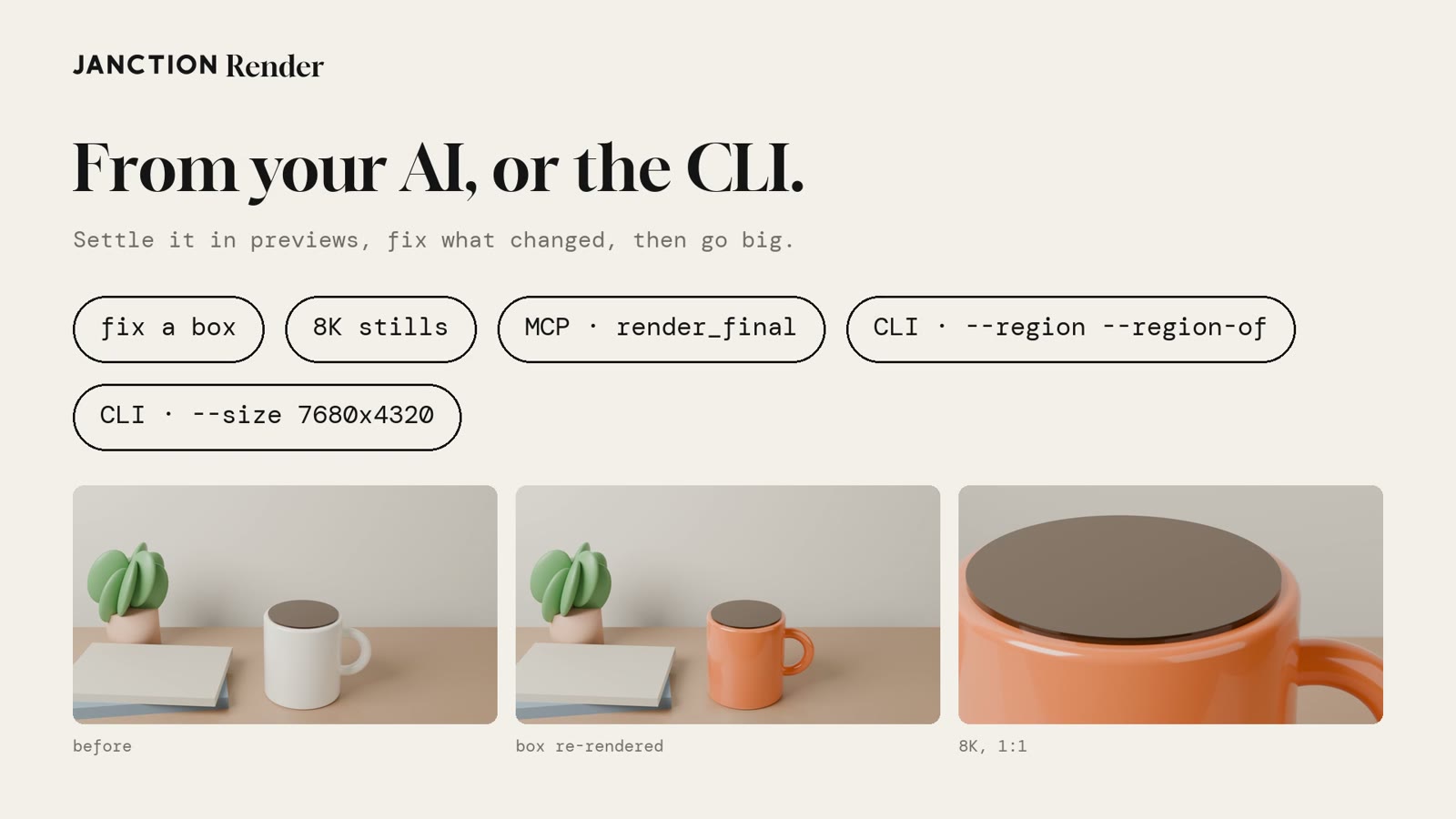
Rendering a whole still again after every small fix spends time on parts that did not change. Pass region (the box to render) and region_of (the earlier final) to render_final, and only the inside of the box is rendered from the changed scene and put back into the earlier image. Everything outside stays as it was, and the edge blends in.
2. Ask your AI
Tell your AI what to change. It picks the box and the earlier final and renders again. In the CLI, use --region and --region-of.
Make just the mug orange, keep the rest.
Finish in 8K
3. PNG and EXR stills at 7680x4320
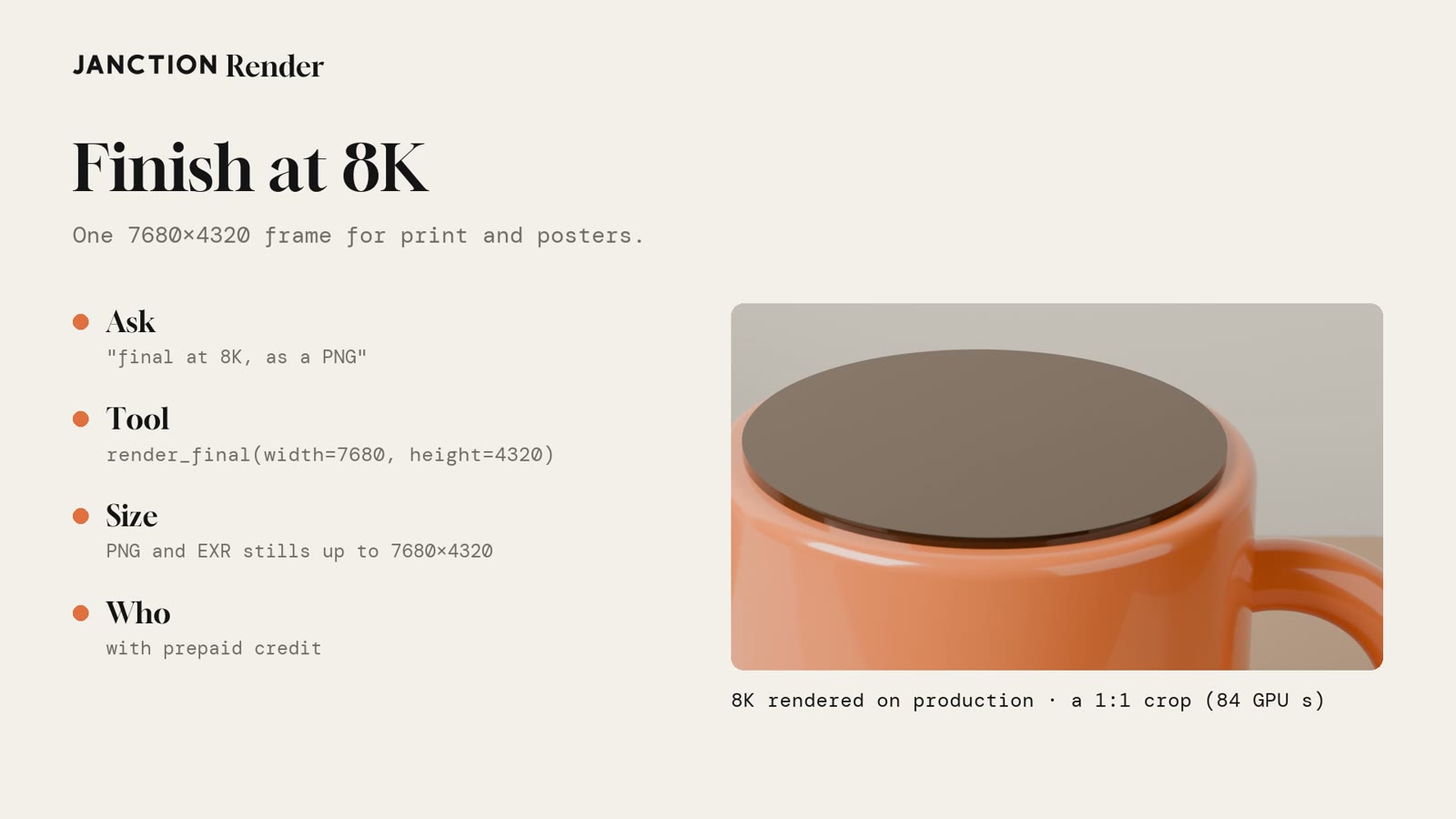
For print and posters, PNG and EXR stills can now be finished up to 8K (7680x4320) with prepaid credit. Decide with previews, re-render only what you change, and finish large at the end.
How to use it
From an AI agent, add the MCP endpoint (https://render.janction.jp/mcp) and ask:
Make just the mug orange, keep the rest.
Finish it as an 8K PNG.
From the browser, try it on the workbench at render.janction.jp (no sign-up).
Measured results
| Item | Result |
|---|---|
| Whole frame again (1080p) | 7.1 GPU seconds |
| Only the changed box (1080p) | 3.0 GPU seconds |
| 8K still (7680x4320) | 84 GPU seconds |
Frequently asked questions
- Does the edge of the box show?
- The box is put back so its edge blends into the earlier image. Everything outside the box stays as it was.
- Where can I use it?
- From AI agents such as Claude or Cursor over MCP (region and region_of on render_final), or from the command line (--region and --region-of).
- Which formats can be finished in 8K?
- PNG and EXR stills, up to 7680x4320, with prepaid credit.
- Is it faster than rendering the whole frame?
- In a 1080p example on our production GPUs, the whole frame took 7.1 GPU seconds and only the changed box took 3.0.
About JANCTION Render
JANCTION Render is JasmyLab's Blender cloud GPU rendering service for AI agents. Add one MCP endpoint to ChatGPT, Claude, Codex or Cursor, or send a file from the browser, and your AI can render Blender images and videos without a local GPU or Blender.
- Service: https://render.janction.jp/
- MCP endpoint: https://render.janction.jp/mcp
On X: https://x.com/JANCTION_Global/status/2122566701472768399